Testing a Workflow
This guide provides a step-by-step approach to testing a workflow in the Kompass Admin UI. It helps users validate workflow logic, debug issues, and ensure correct data flow across components before deploying to production.
Technical Overview
In Workflow Weaver, workflows can be tested using two methods, each serving a different purpose:
1. Test Mode (Builder-Level Execution)
- Executes the workflow directly within the builder
- Useful for validating node execution and debugging logic
- Provides visibility into intermediate outputs of each component
- Ideal for developers during workflow construction
2. Playground Mode (Simulation-Based Testing)
- Simulates real-world execution using user inputs
- Provides a chat-based interface for testing workflows
- Helps validate end-to-end behavior and response quality
- Includes trace-level debugging for deeper analysis
Method 1: Testing via Test Mode
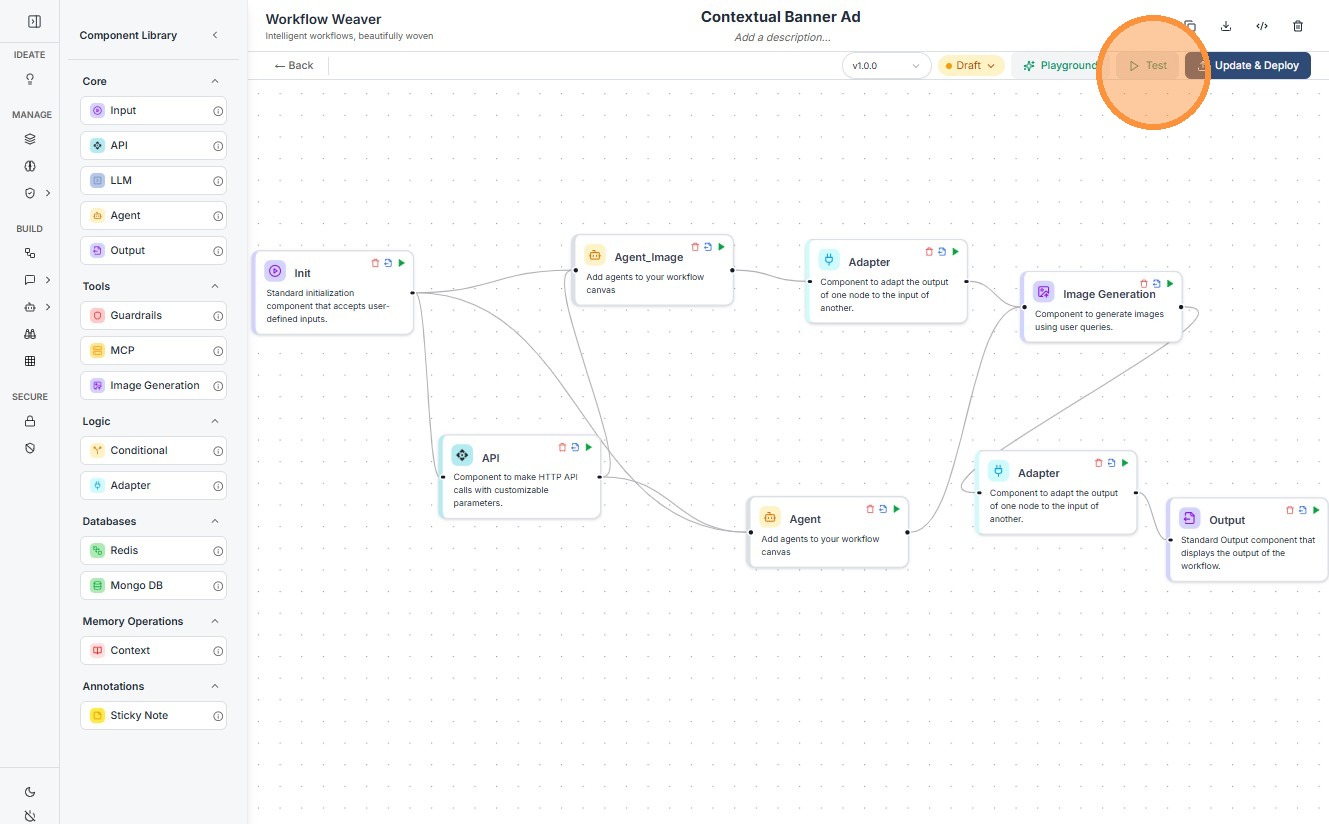
Step 1
Click "Test"
Step 2
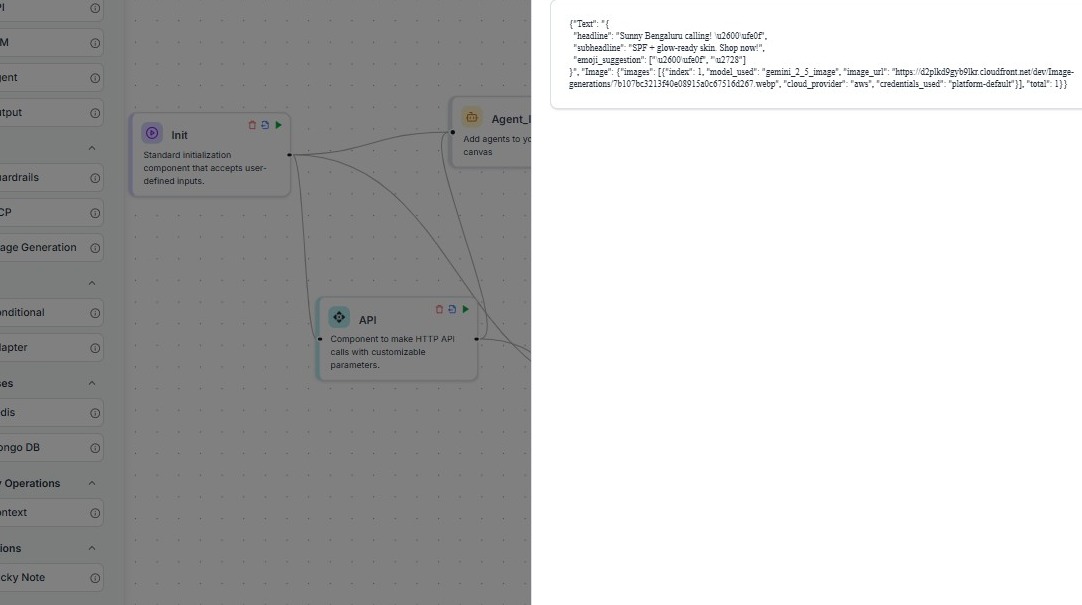
Output of the Workflow
Step 3
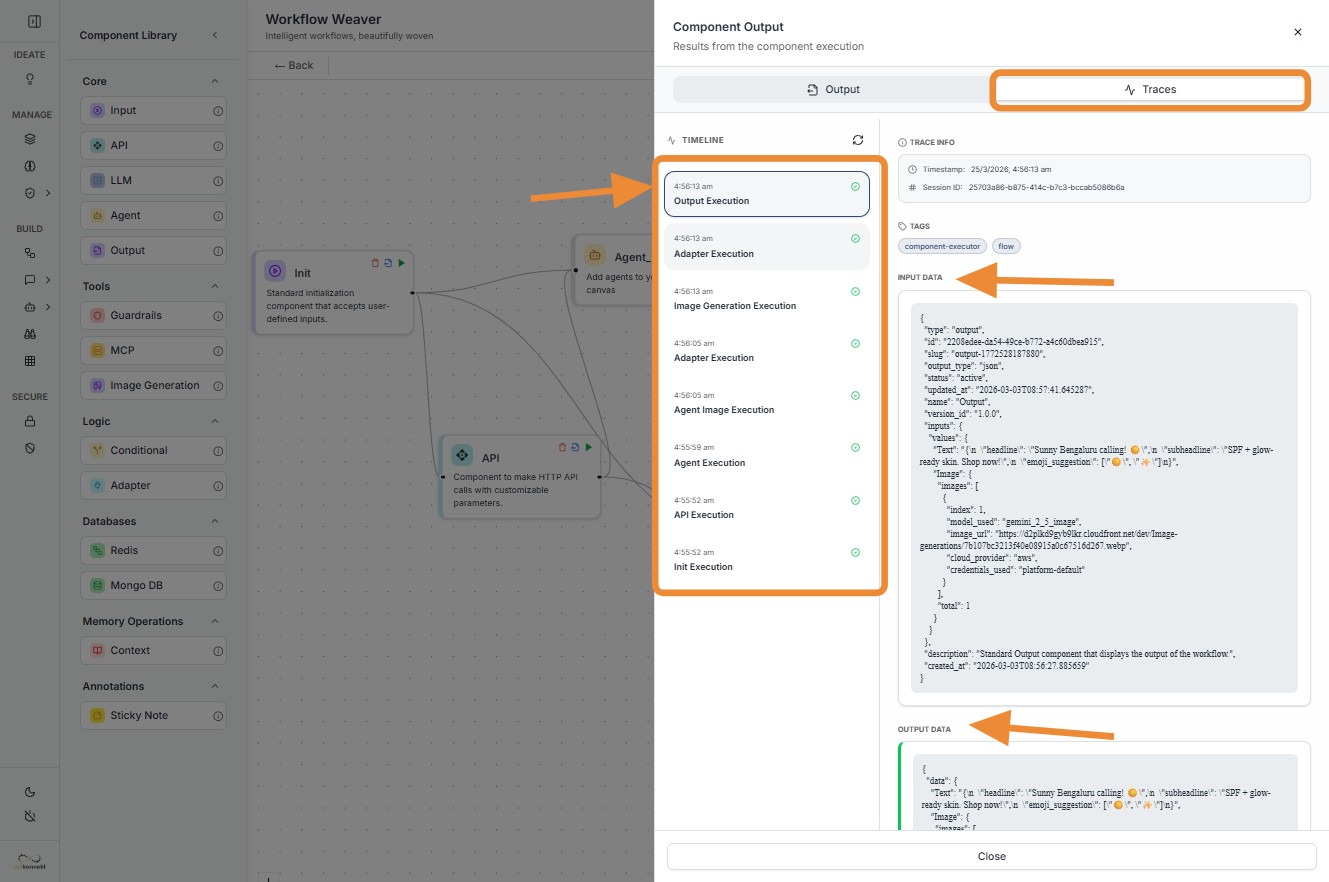
Click "Adapter Execution" (timestamped execution log)
Step 4
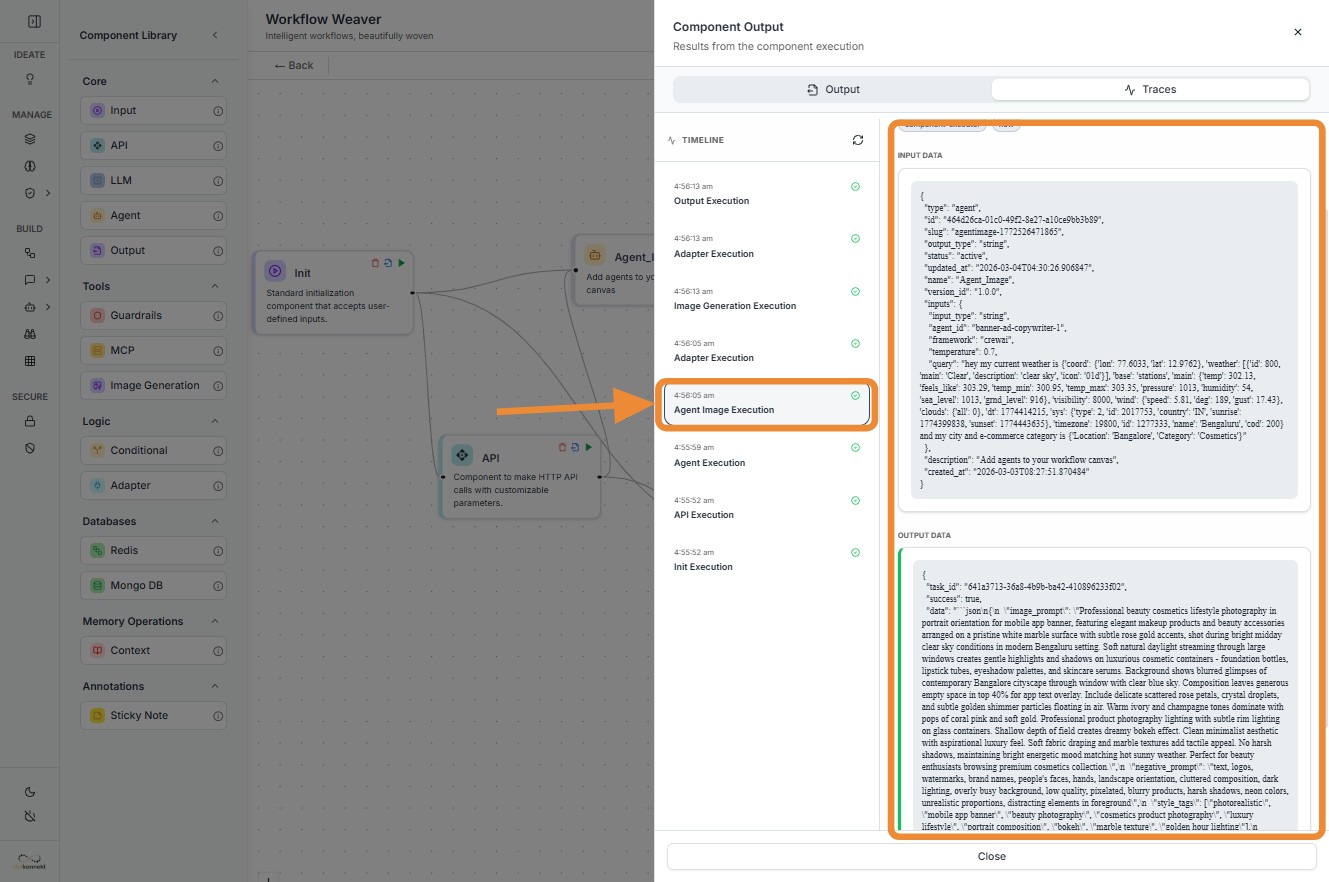
You can check output of any component by simply clicking on that component.
Method 2: Testing via Playground
Step 5
Second way is testing through Playground
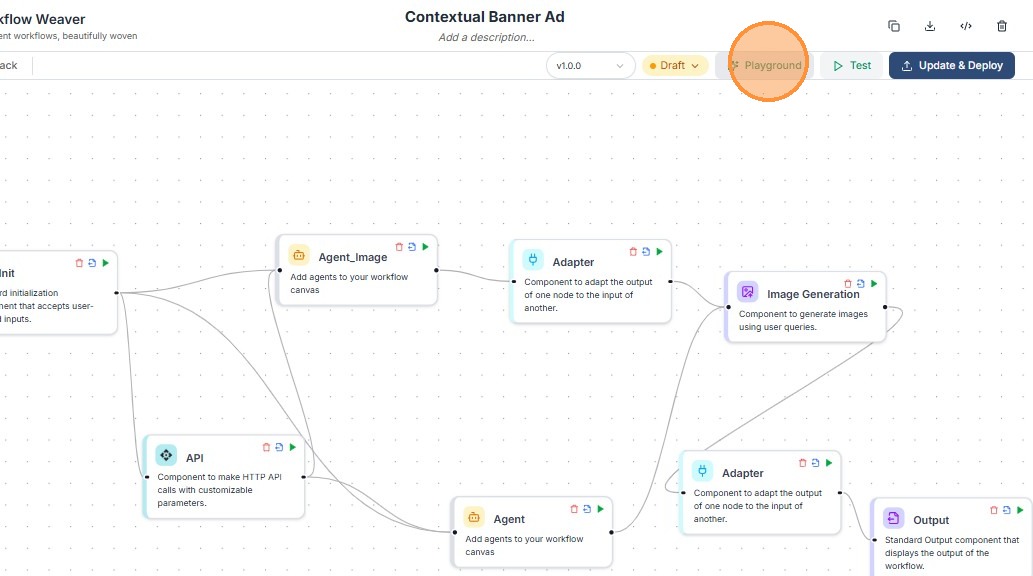
Step 6
Type your query and press Enter
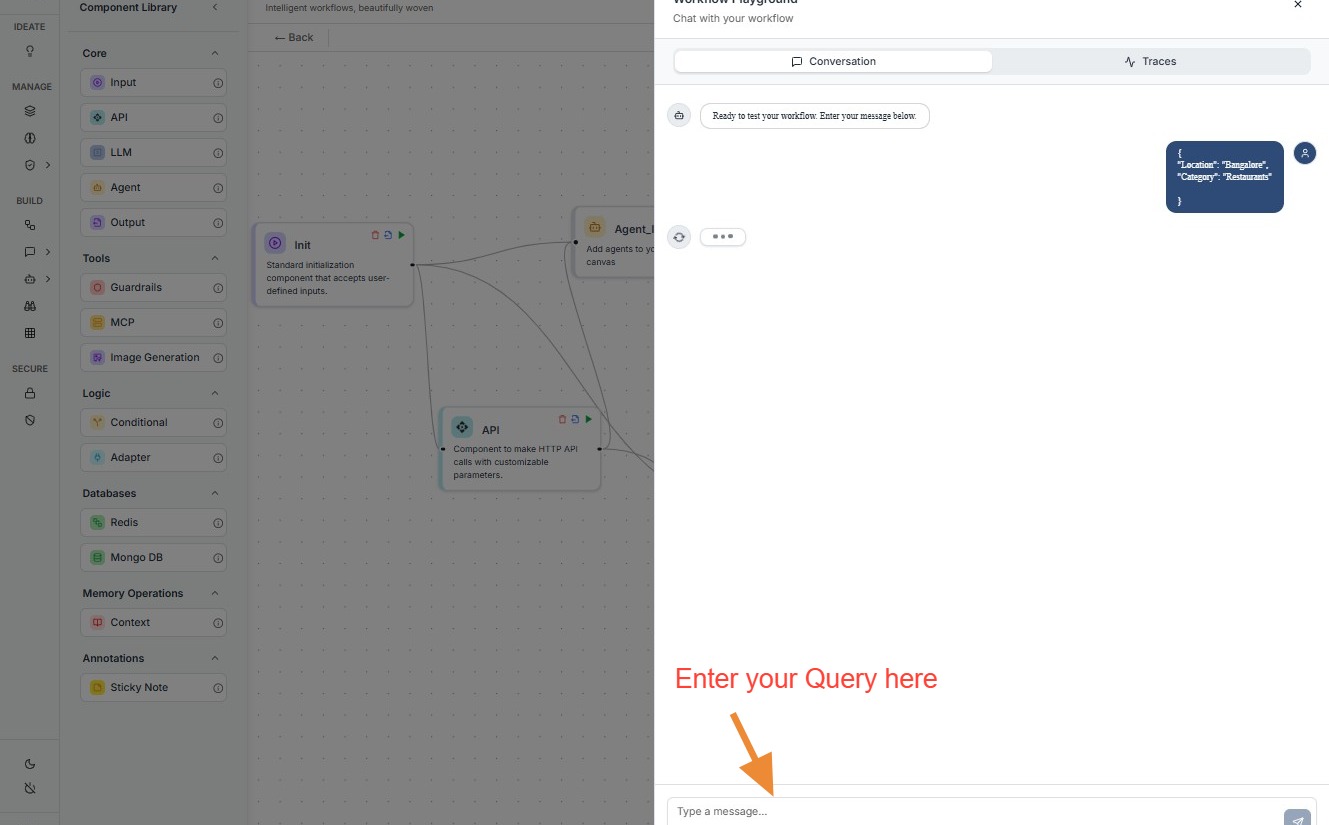
Step 7
Output in chat
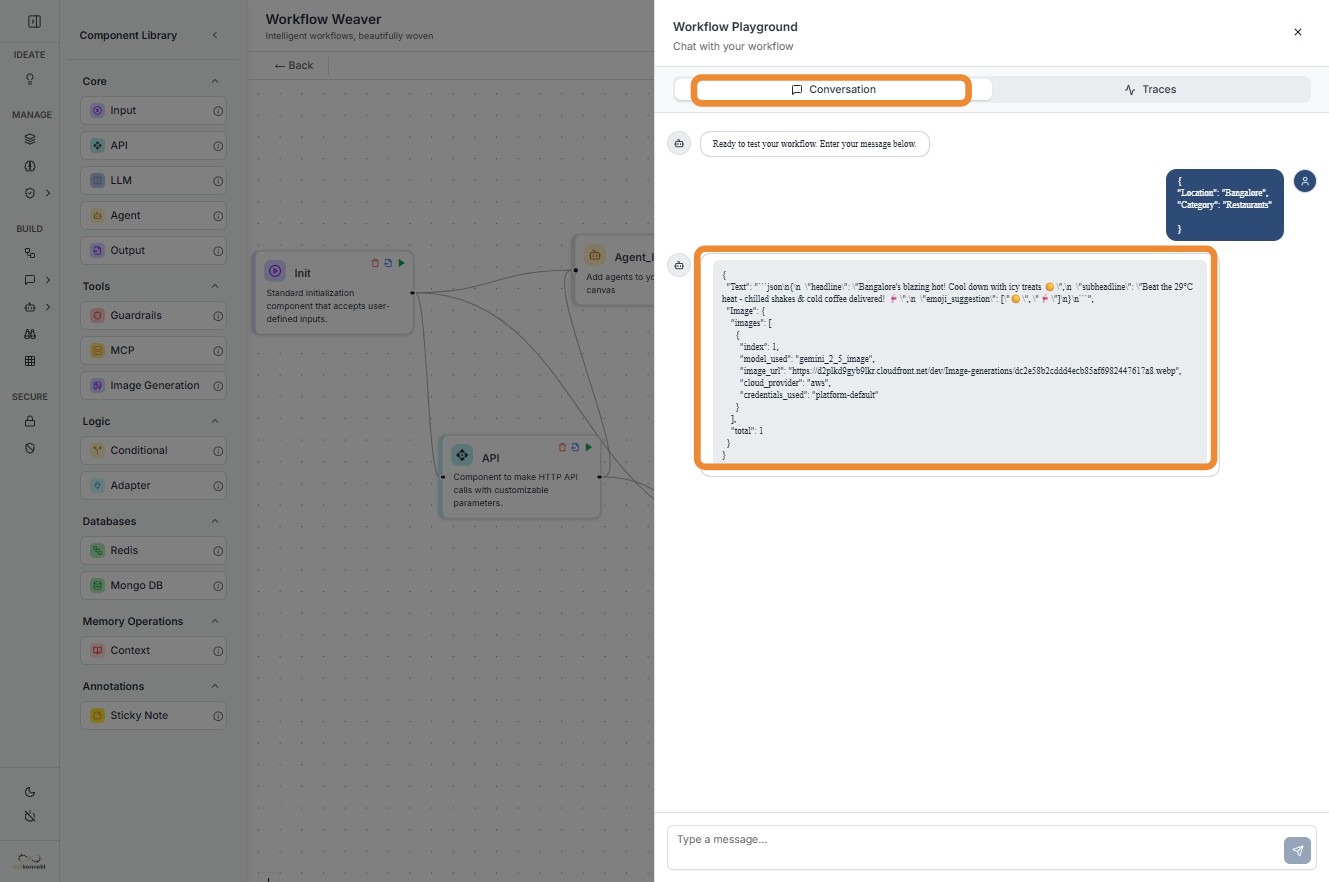
Step 8
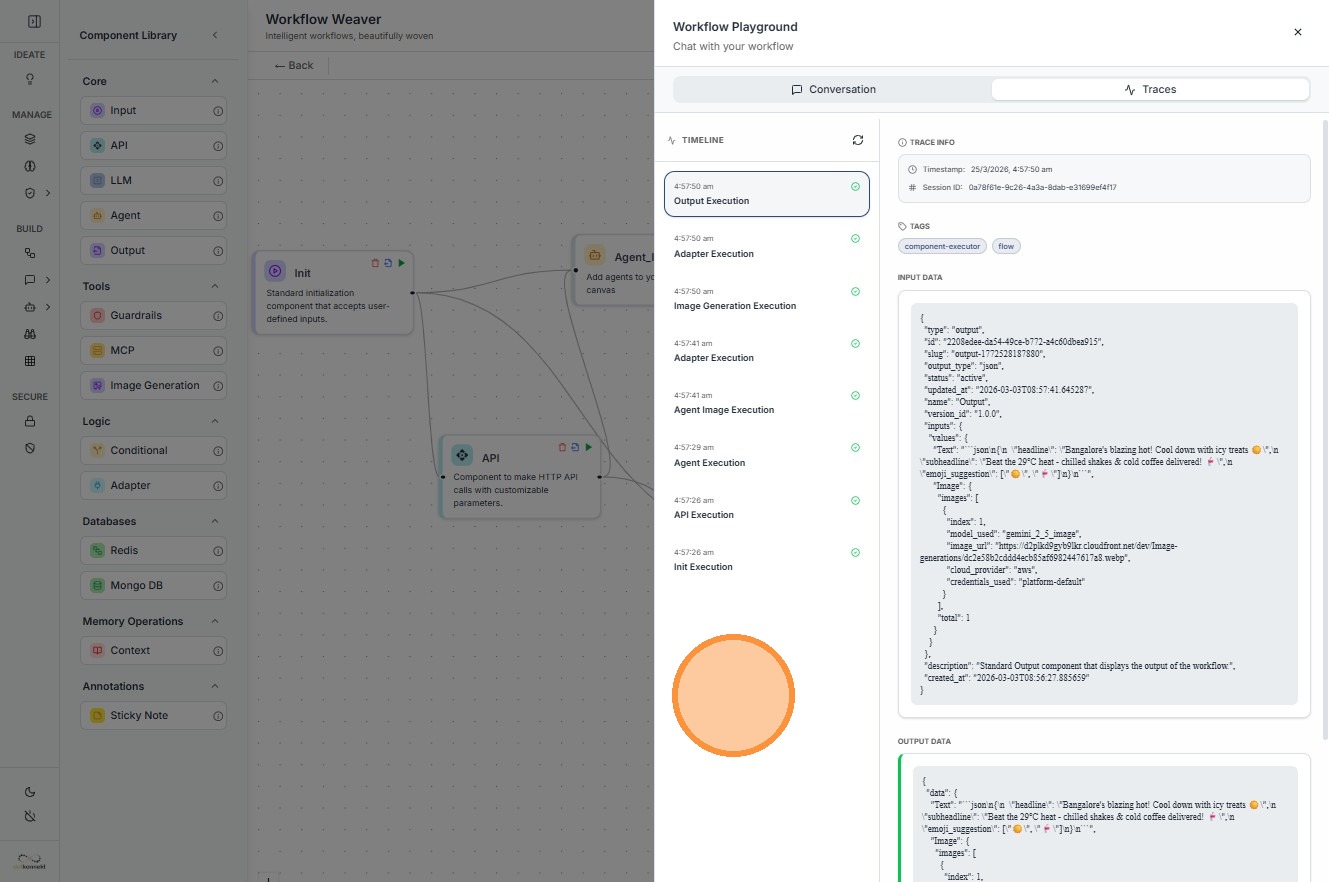
Click "Traces" to check workflow execution traces
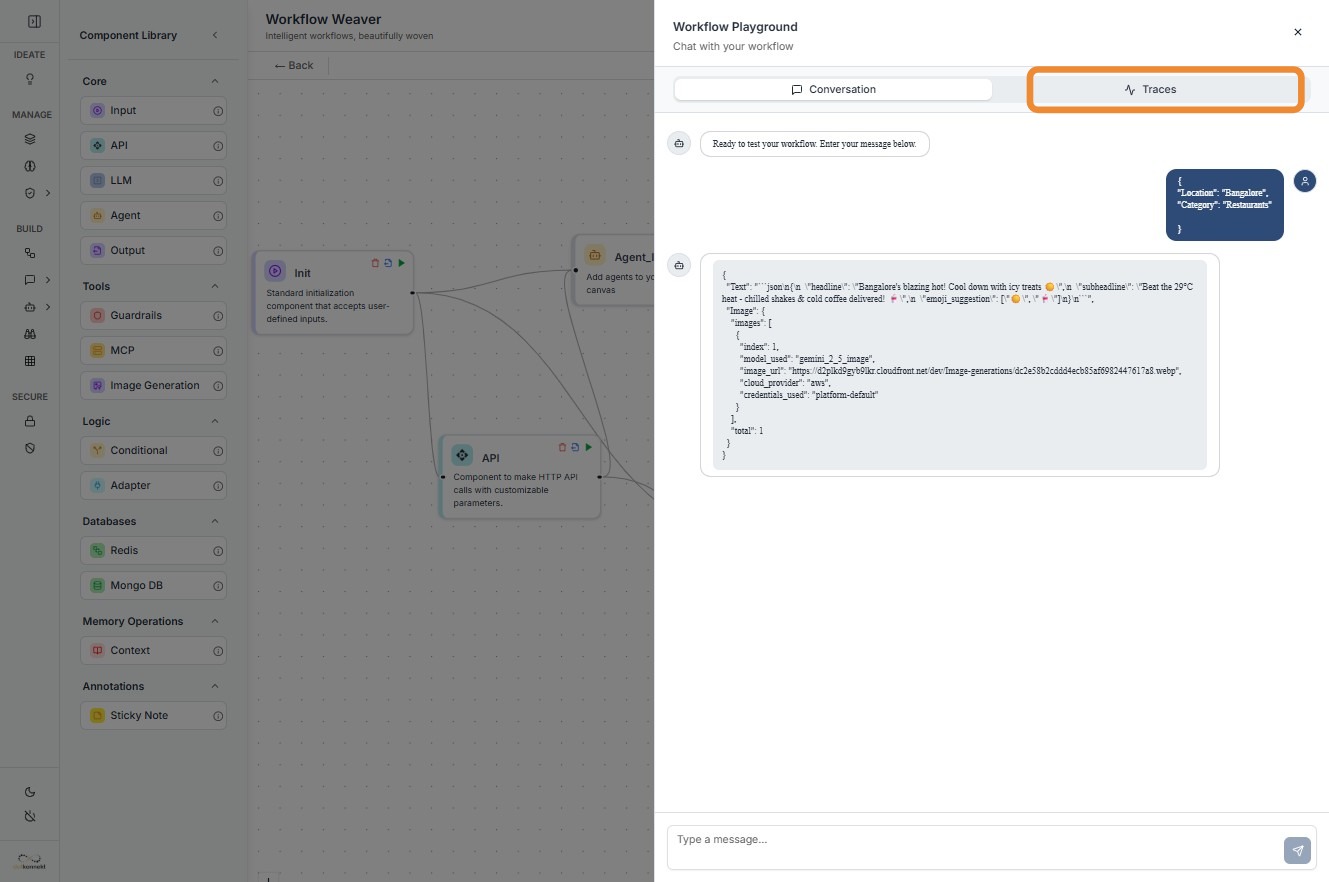
Step 9
Input and output data of every component will be shown here
When to Use What
| Mode | Use Case |
|---|---|
| Test Mode | Debugging node logic, validating intermediate outputs |
| Playground | End-to-end testing, simulating real user queries |