Create and Test a Prompt
This guide explains how to create a reusable prompts, configure its model settings, generate synthetic test data, and validate the prompt using batch execution.
Overview
Prompts define the instructions that guide an LLM to generate responses. Kompass supports creating both Workflow Prompts and Agent Prompts, allowing you to reuse them across workflows and AI agents.
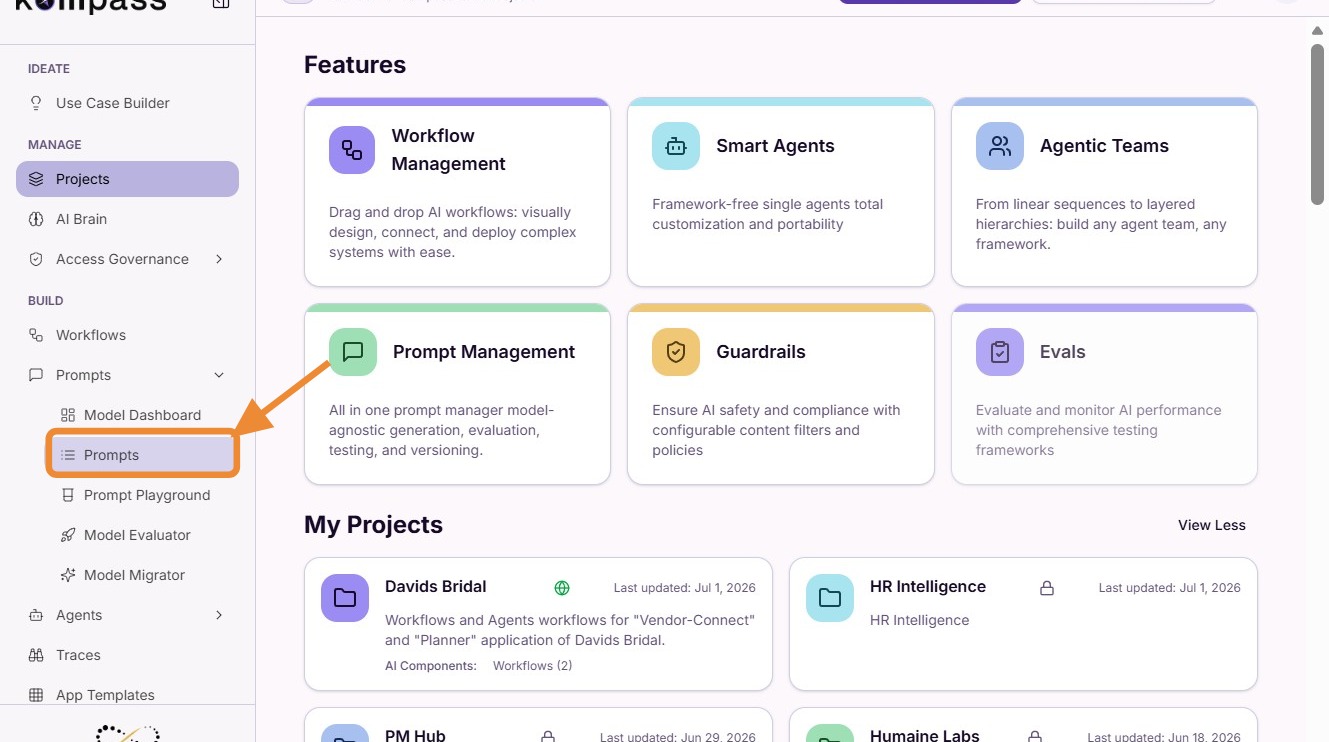
1. Navigate to Prompts
From the left navigation menu, open Prompts.
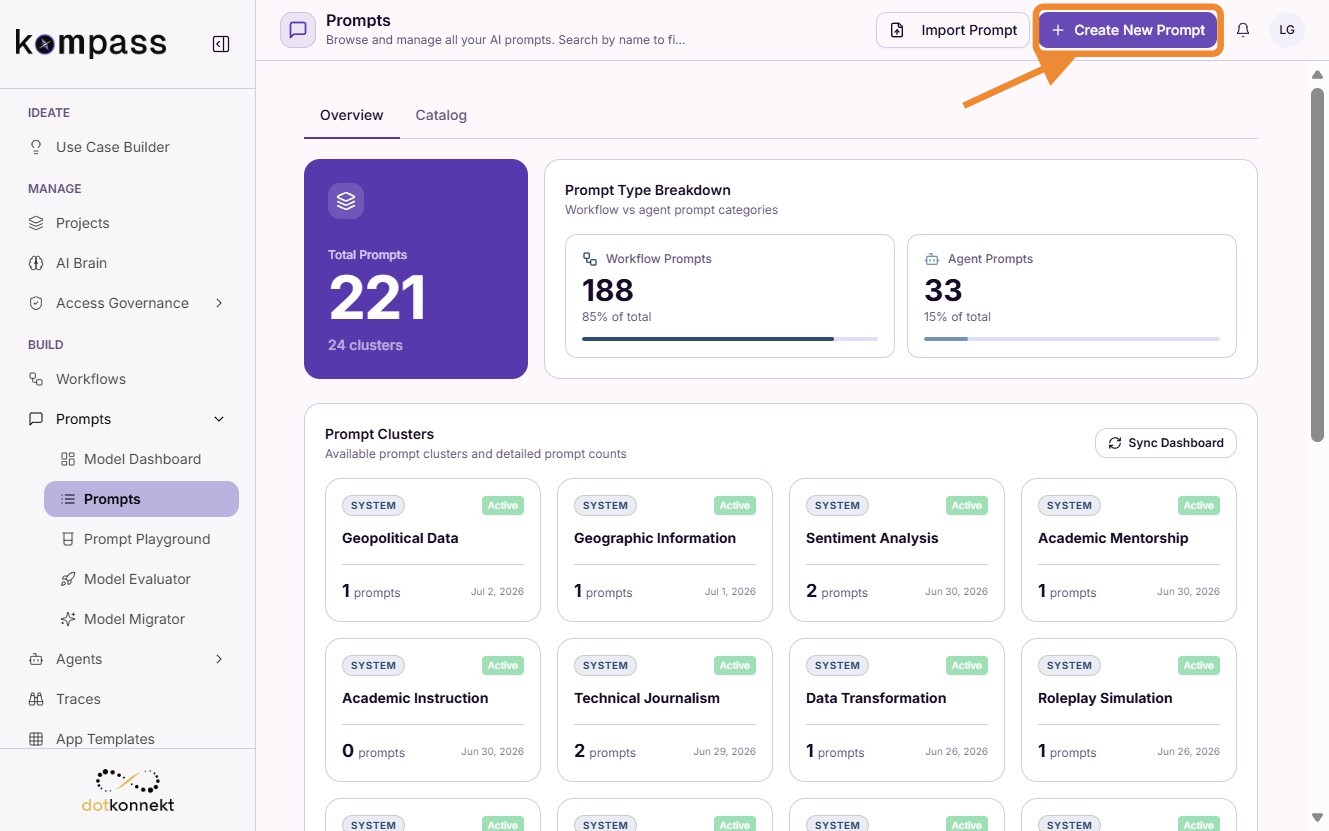
2. Create a New Prompt
Click Create New Prompt.
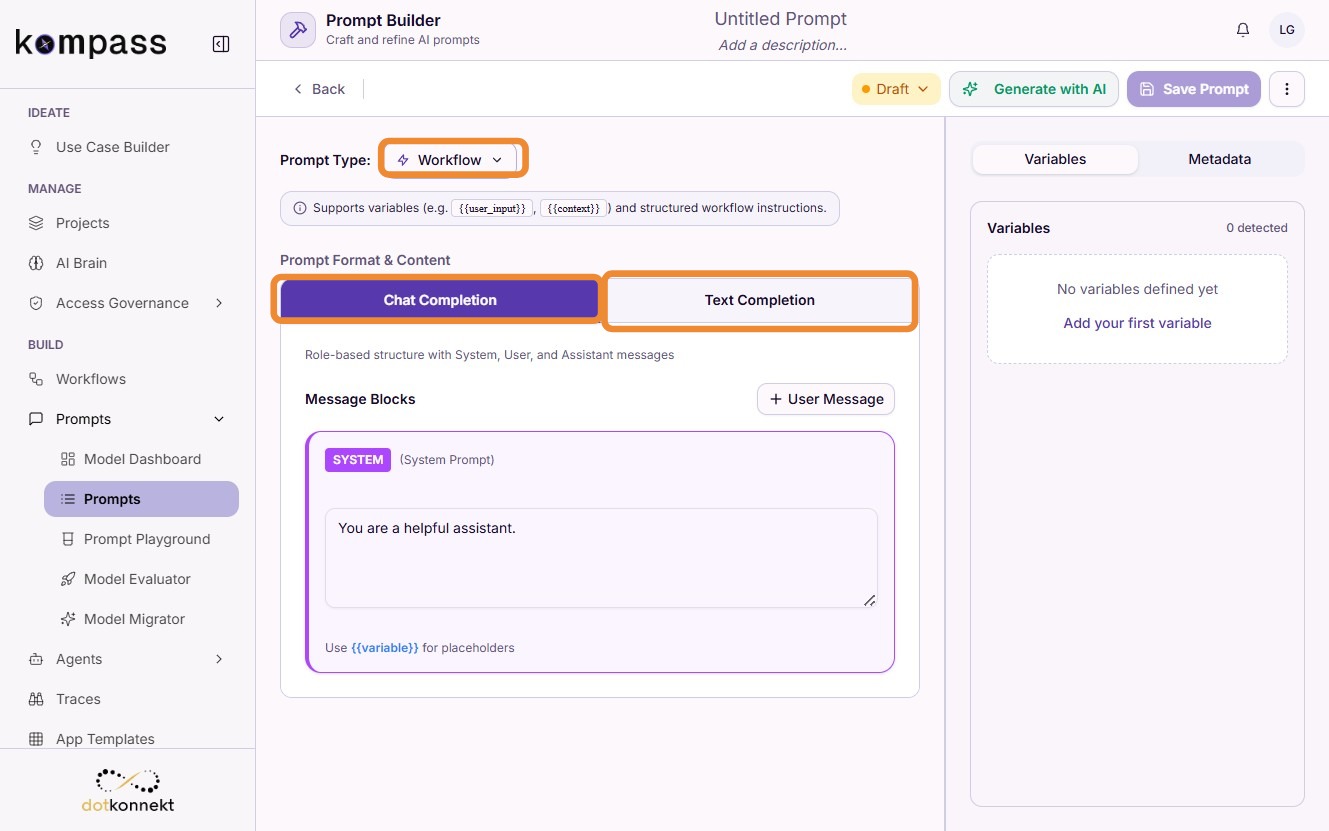
3. Configure the Prompt
Select the appropriate prompt configuration.
- Prompt Type
- Workflow Prompt
- Agent Prompt
- Prompt Format
- Text Completion
- Chat Completion
4. Write the Prompt
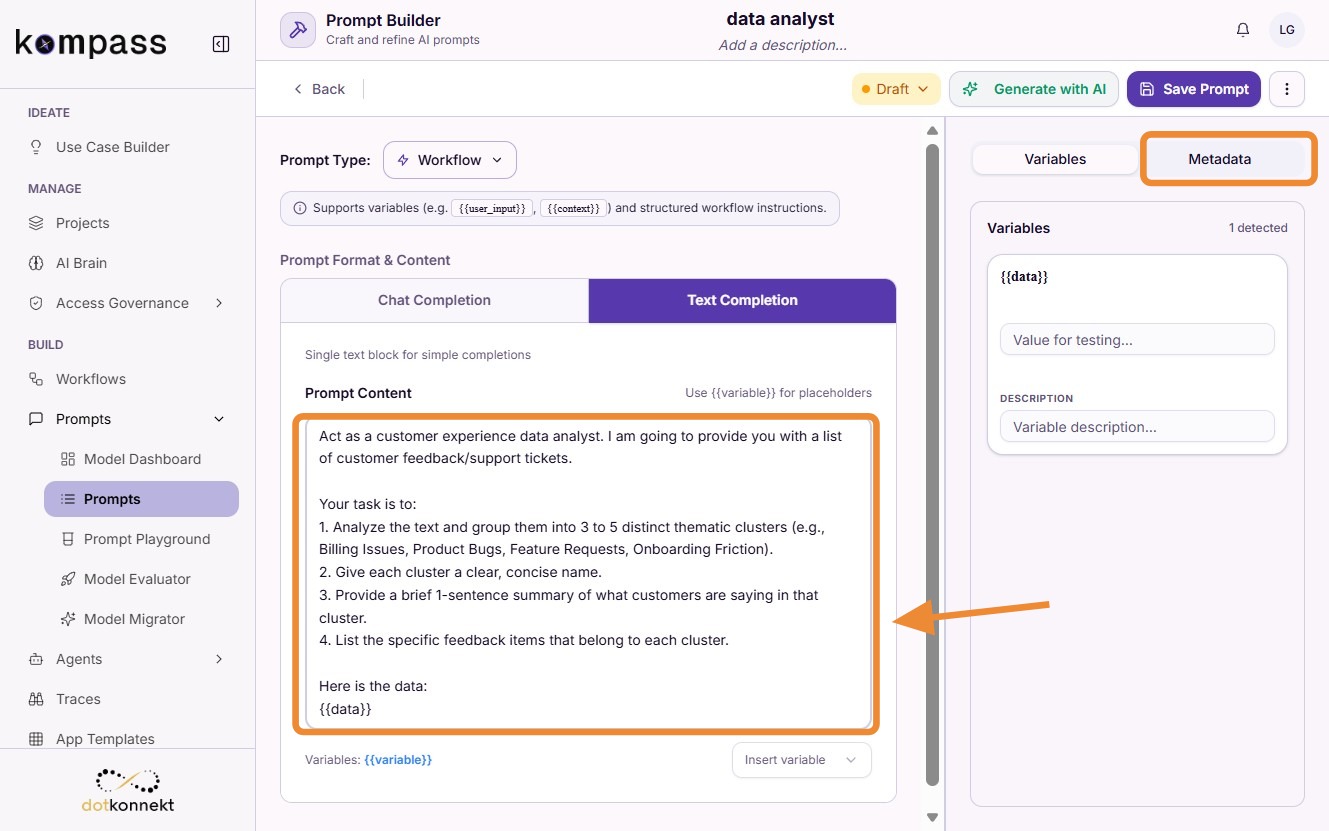
Enter your prompt instructions and then open the Metadata tab.
5. Configure Model Settings
Open the Metadata tab.
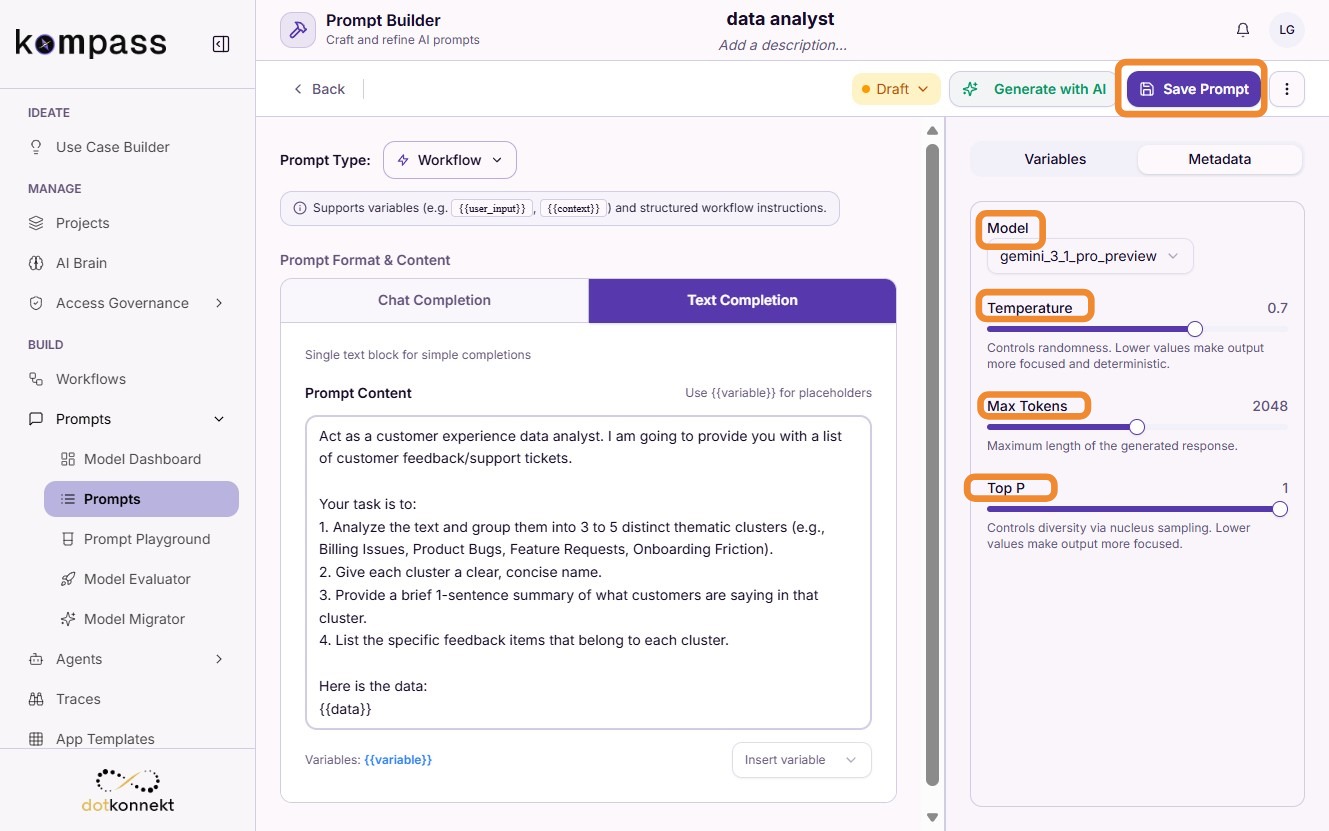
Configure the prompt execution parameters:
- Model
- Temperature
- Max Tokens
- Top P
After configuring the parameters, click Save Prompt.
6. Generate Test Data
Open the Test Data tab.
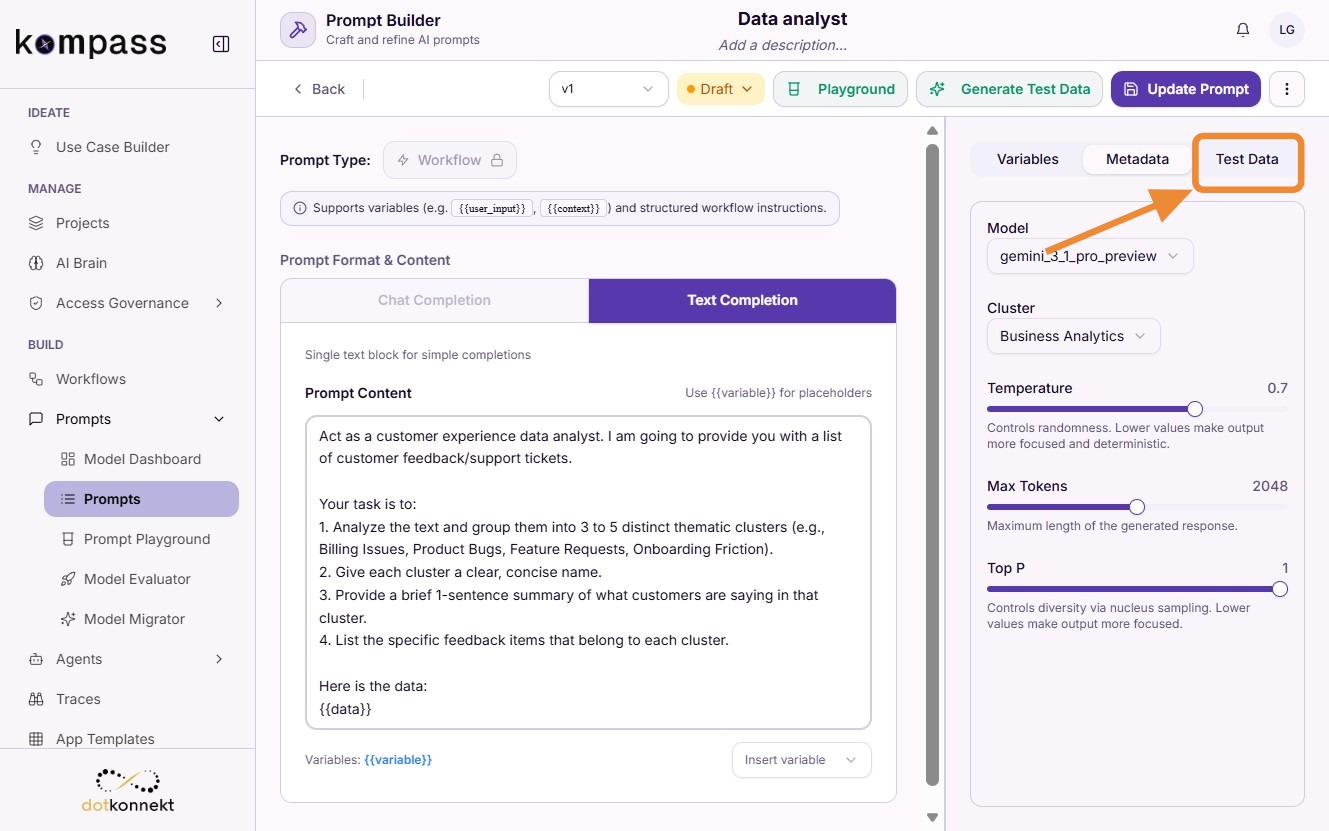
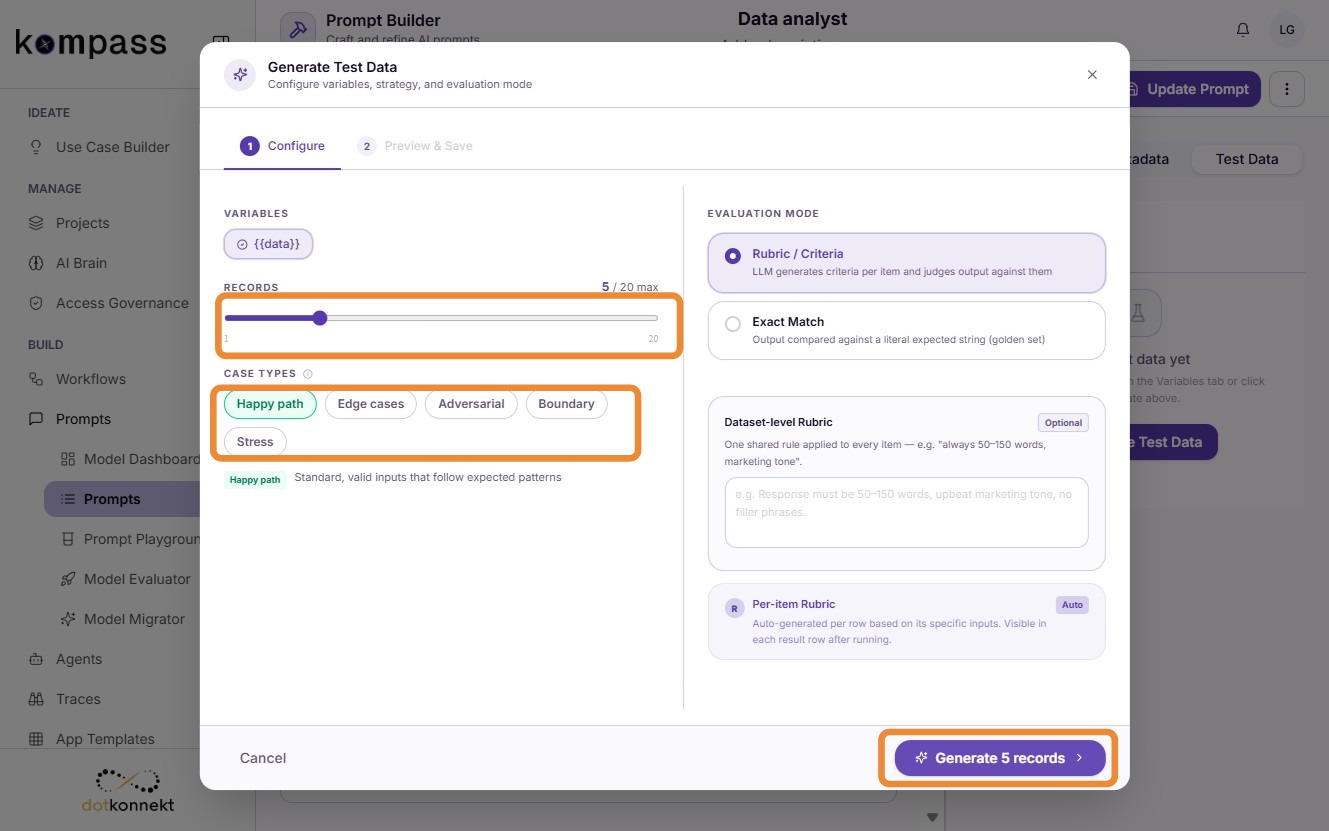
Click Generate Test Data.
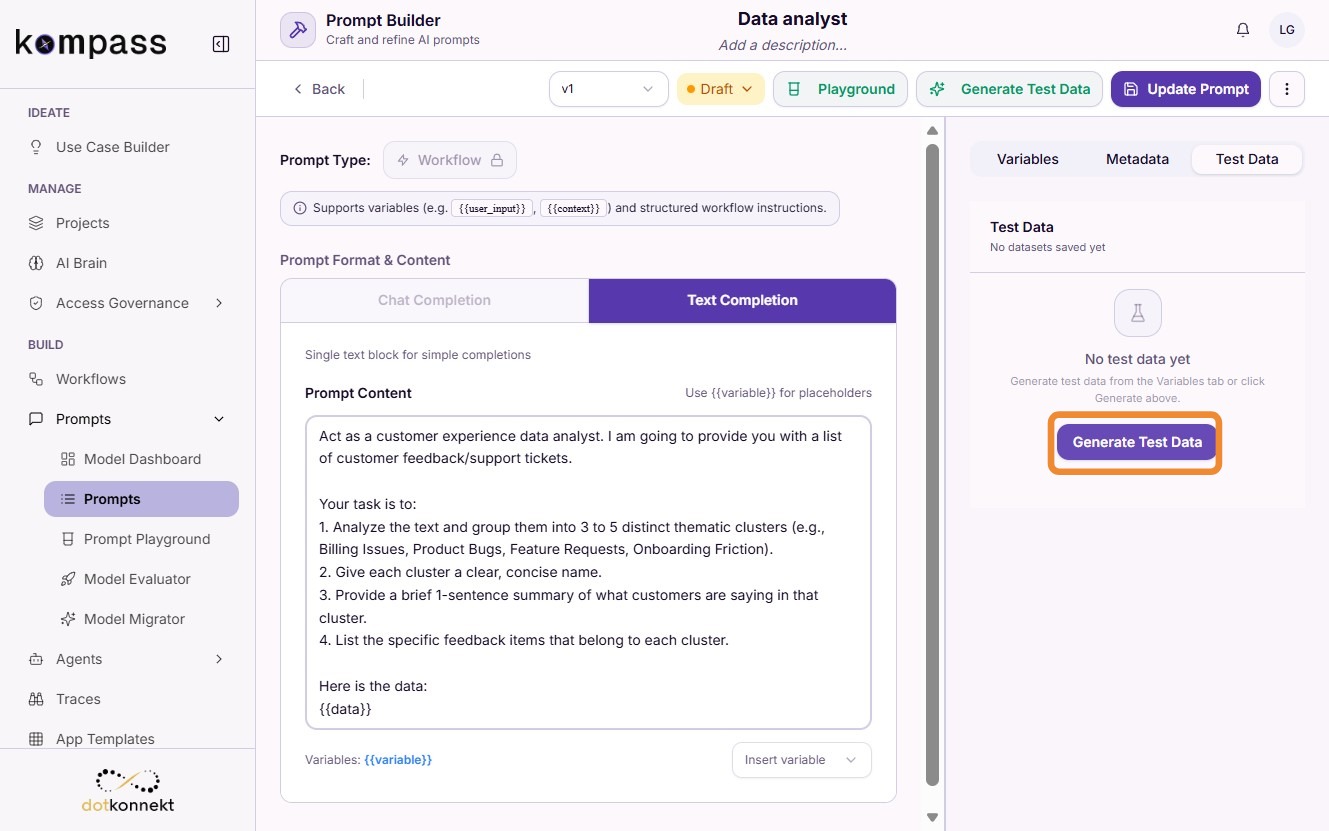
Select the number of records using the slider, choose the required test case types, and click Generate Records.
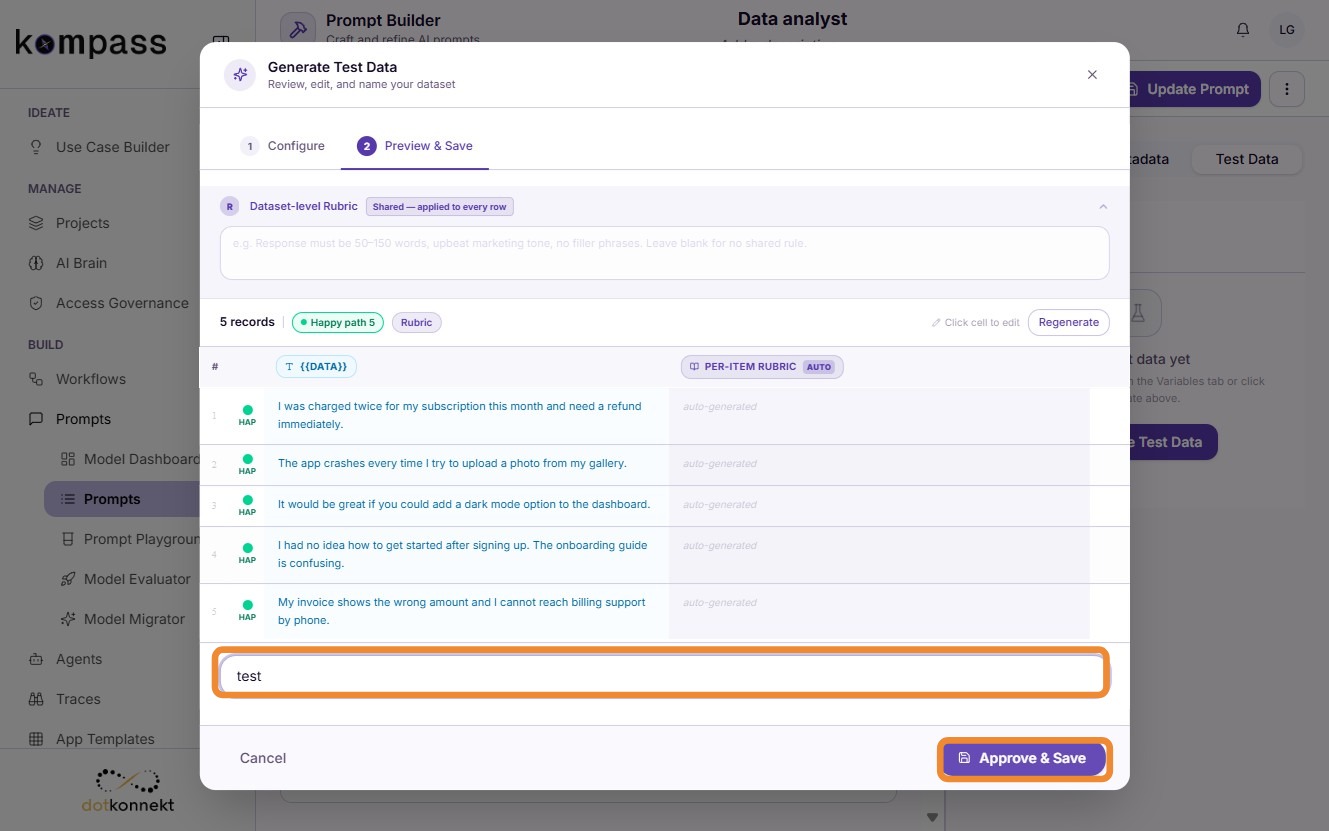
Provide a name for the generated dataset and click Approve & Save.
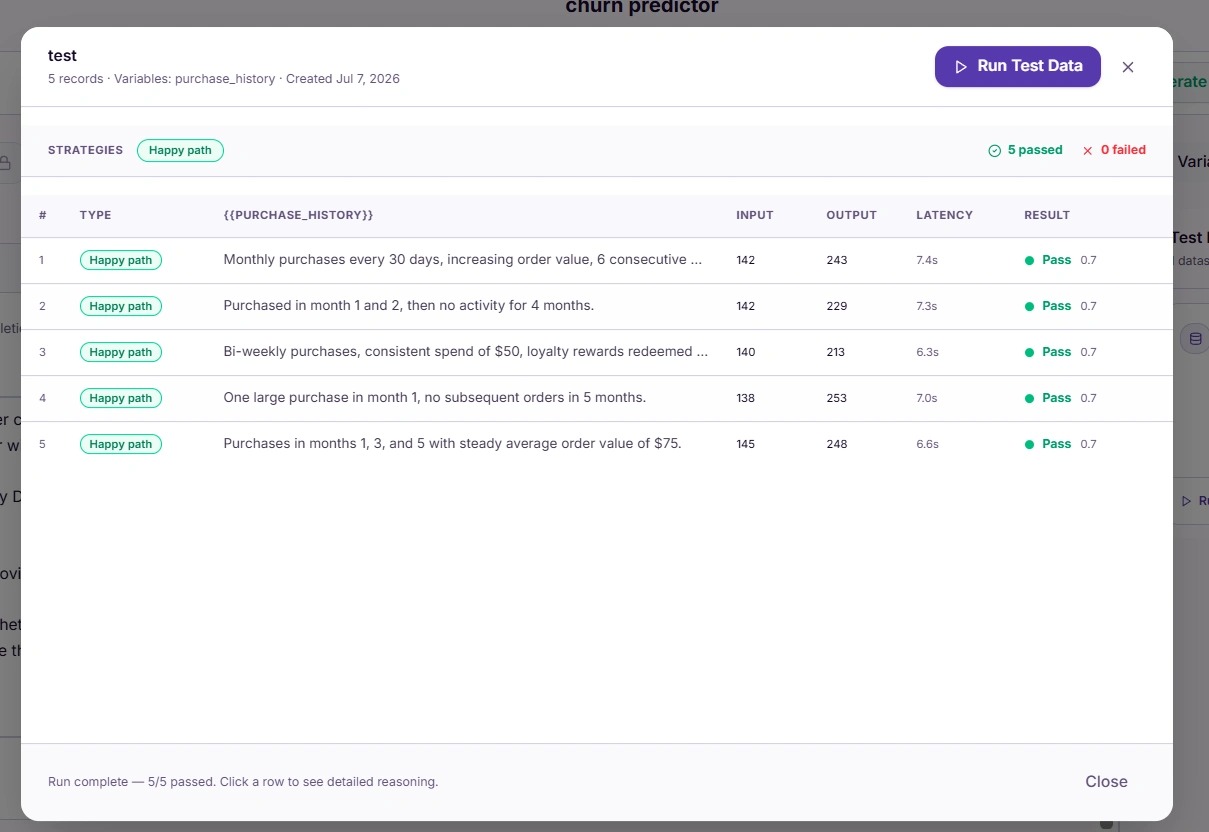
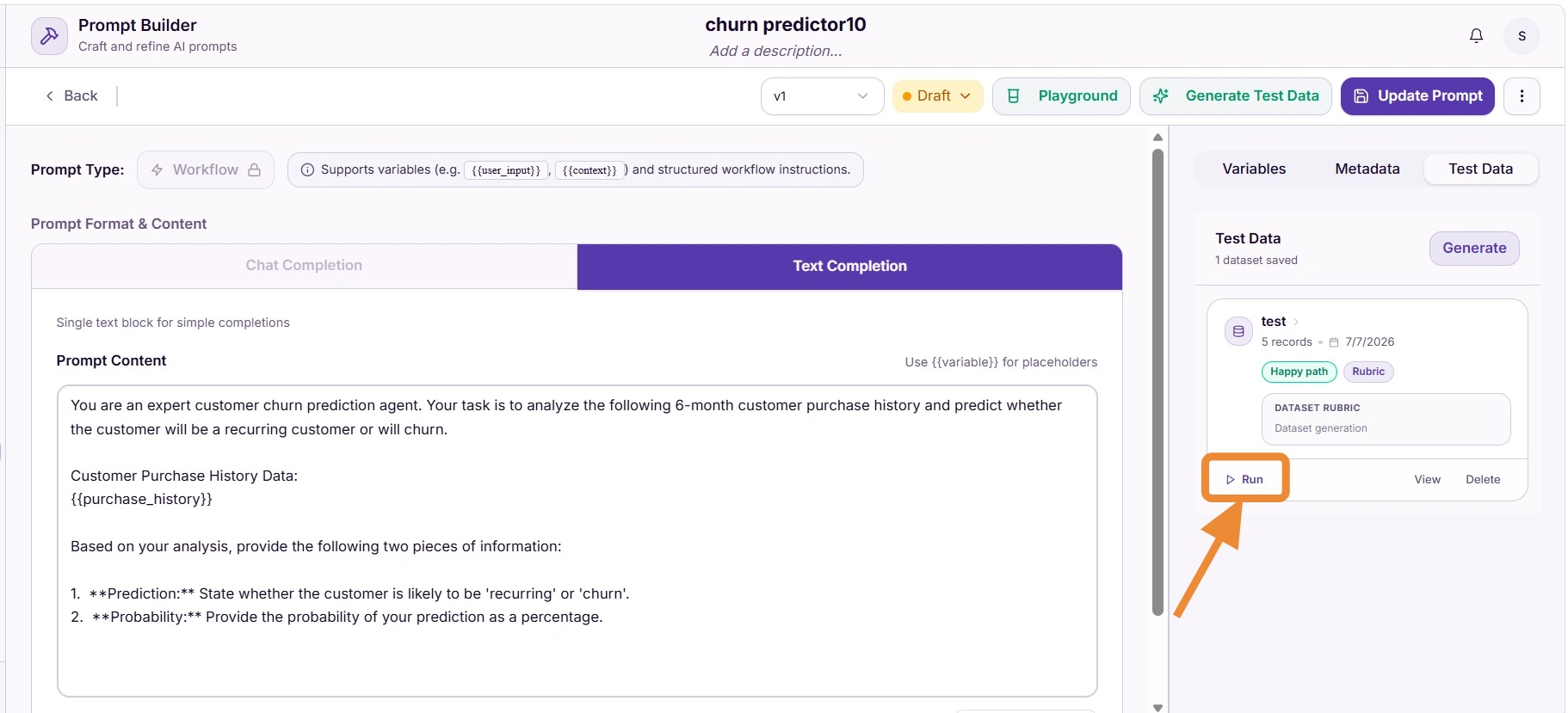
7. Run the Test
Click Run to execute the prompt against the generated test dataset.
Select Run Test Data.
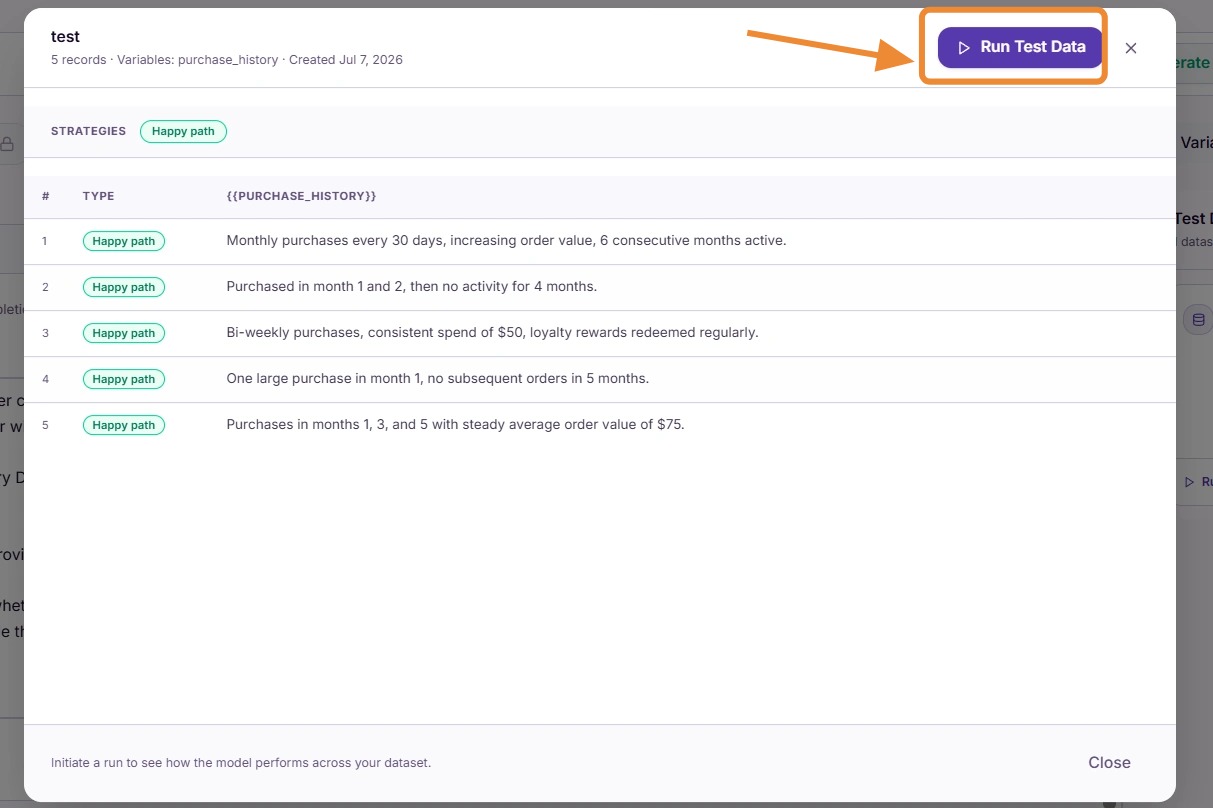
Once execution completes, review the generated results.