Subflow
1. Component Intro:
The Subflow component allows you to execute an existing workflow as a reusable component inside another workflow.
Instead of recreating the same sequence of components multiple times, you can encapsulate common business logic into a subflow and reuse it across multiple workflows.
A Subflow executes serially, meaning the parent workflow waits for the subflow to complete before proceeding to the next component. This promotes modular workflow design, improves maintainability, and reduces duplication.
Core JSON Structure
[[JSON]]
{
    "name": "Subflow",
    "type": "subflow",
    "output_type": "string",
    "label": "Subflow",
    "description": "Standard Subflow component that executes another flow as a component",
    "inputs": {
        "inputs": "delhi",
        "flow_id": "weather-report"
    }
}
2. Where to Use It
-
Workflow Reusability: Reuse common business logic across multiple workflows.
-
Modular Design: Break large workflows into smaller, manageable units.
-
Standardized Processes: Execute approved business processes consistently across projects.
-
Complex Automation: Build multi-stage workflows by combining several reusable subflows.
3. How to Initialize
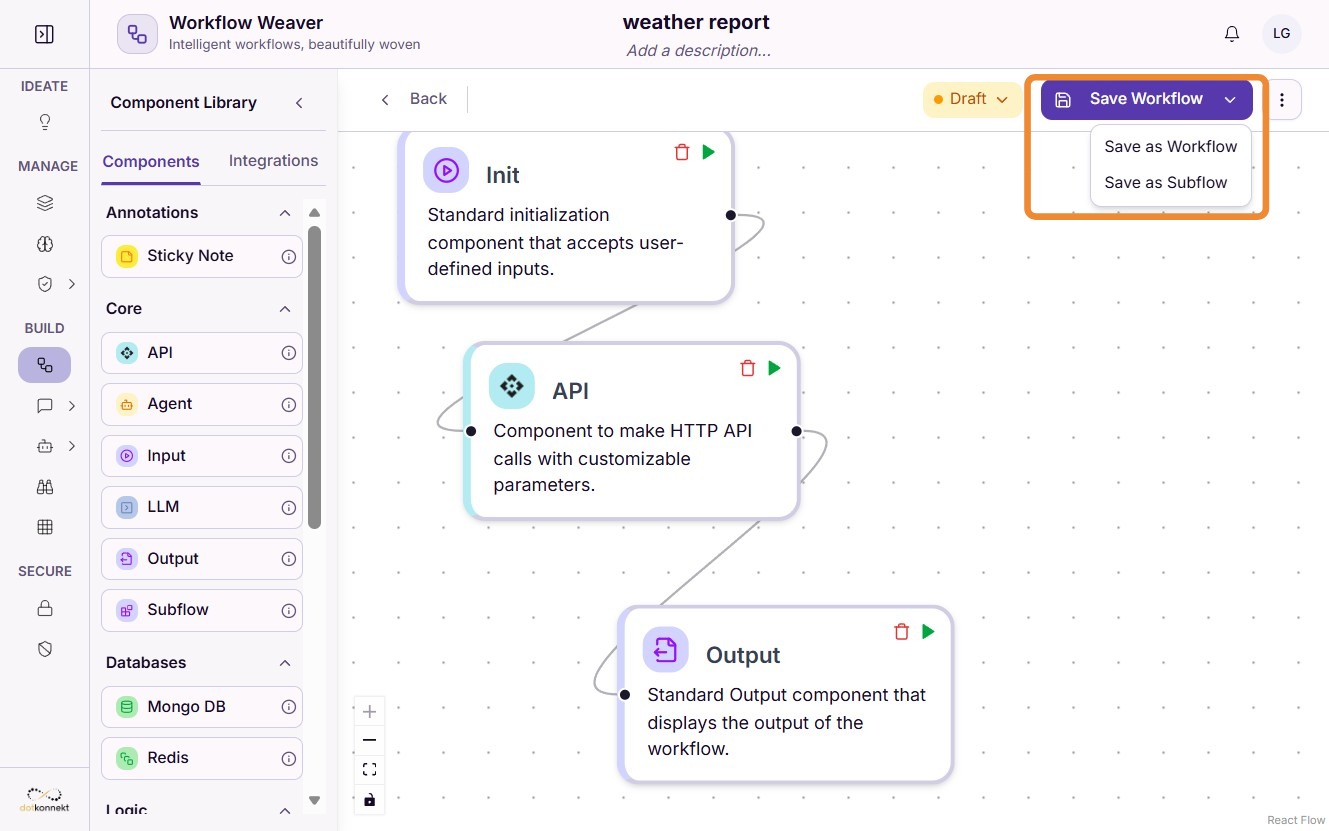
Step 1: Create a Subflow
Build your workflow as usual.
When saving the workflow, enable the option to save it as a Subflow. This makes it available for reuse inside other workflows.
Step 2: Add the Subflow Component
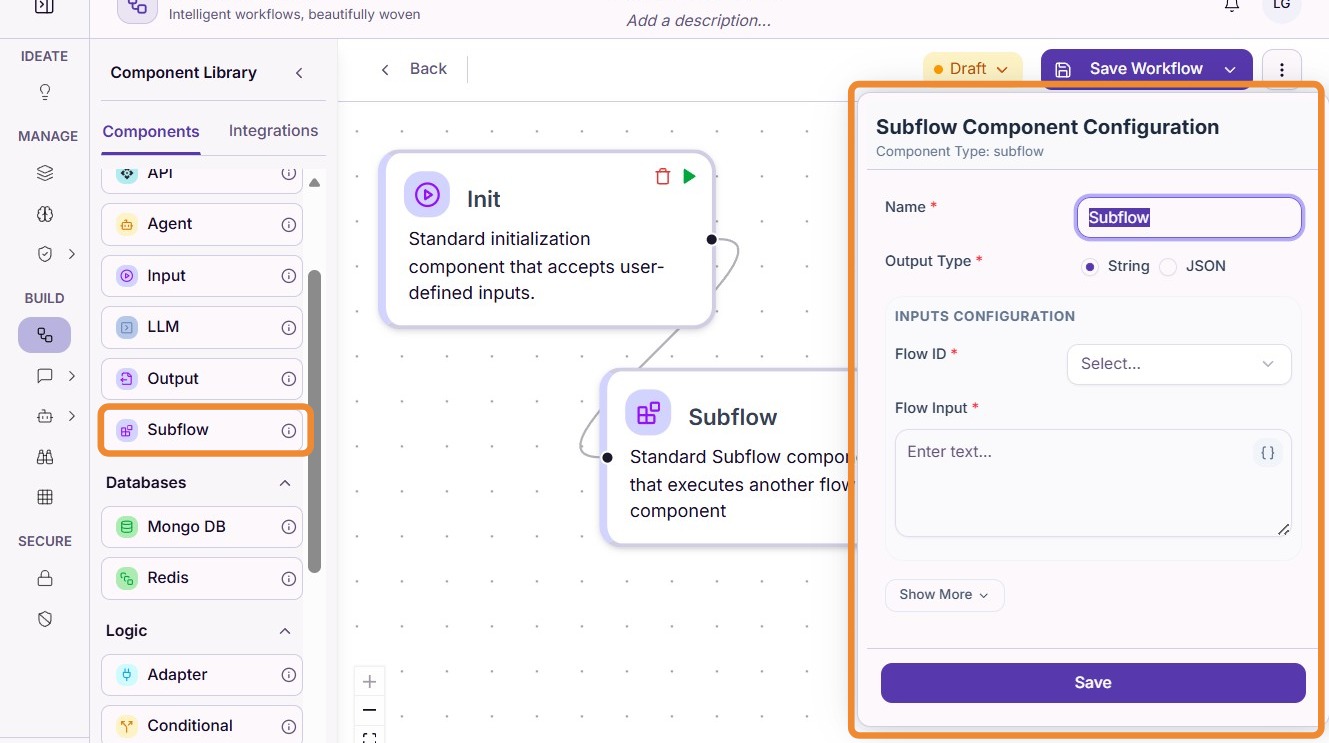
Drag the Subflow component onto your workflow canvas.
Click "Select..." to choose an existing subflow.
Step 3: Select the Subflow
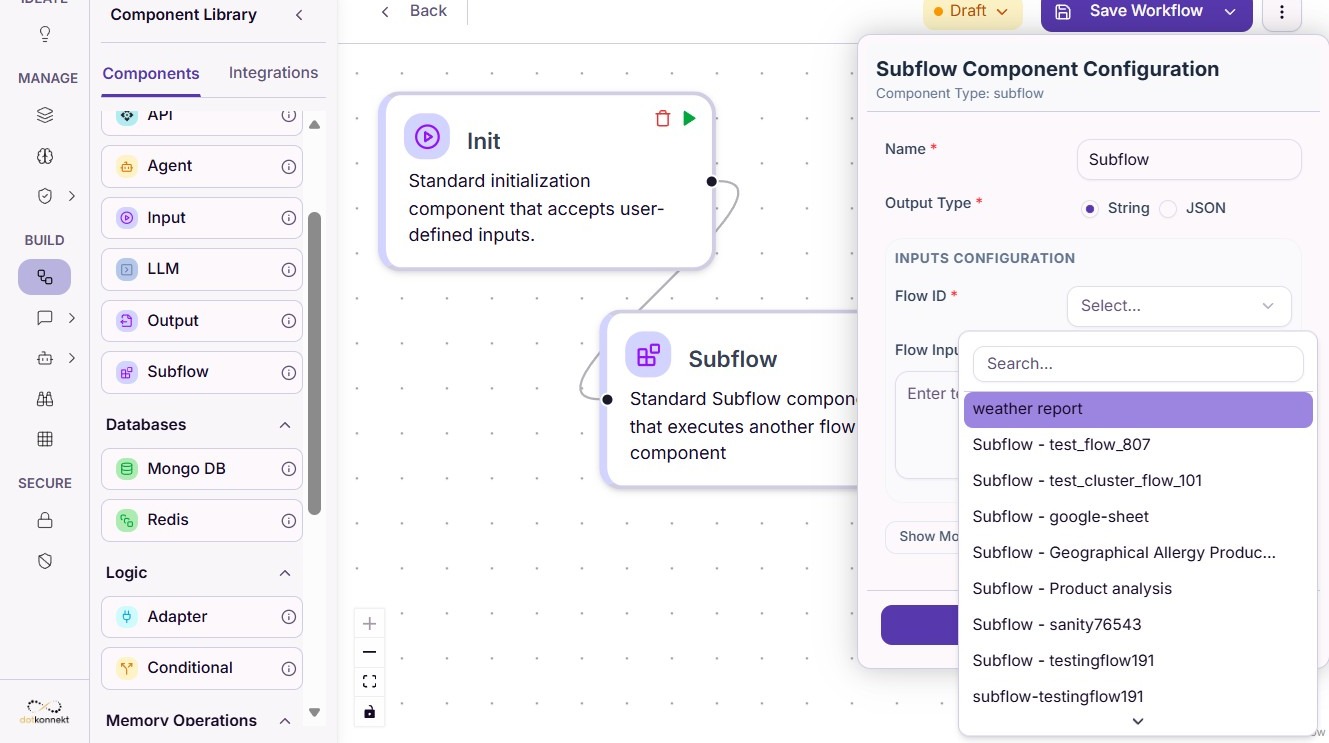
Choose the workflow that you want to execute as a subflow.
For example:
Step 4: Save the Workflow
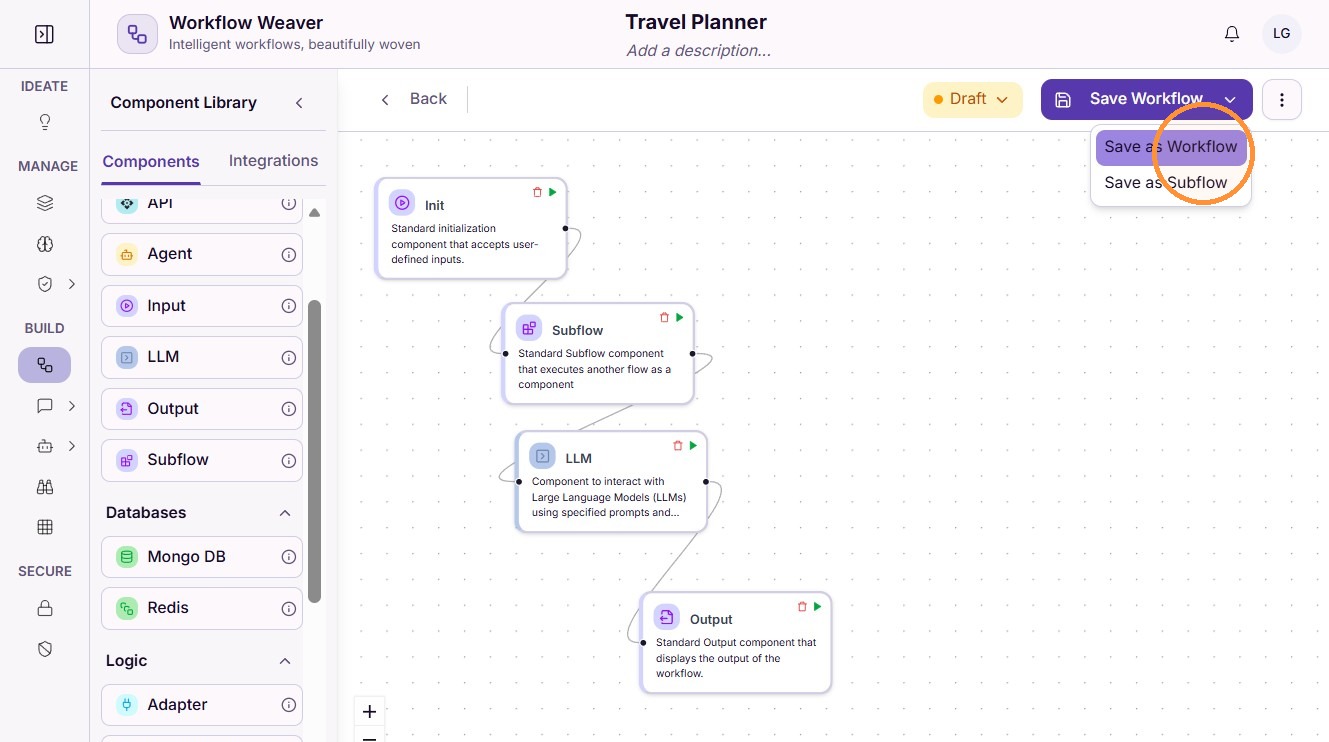
After configuring the component, save the parent workflow.
Testing a Subflow
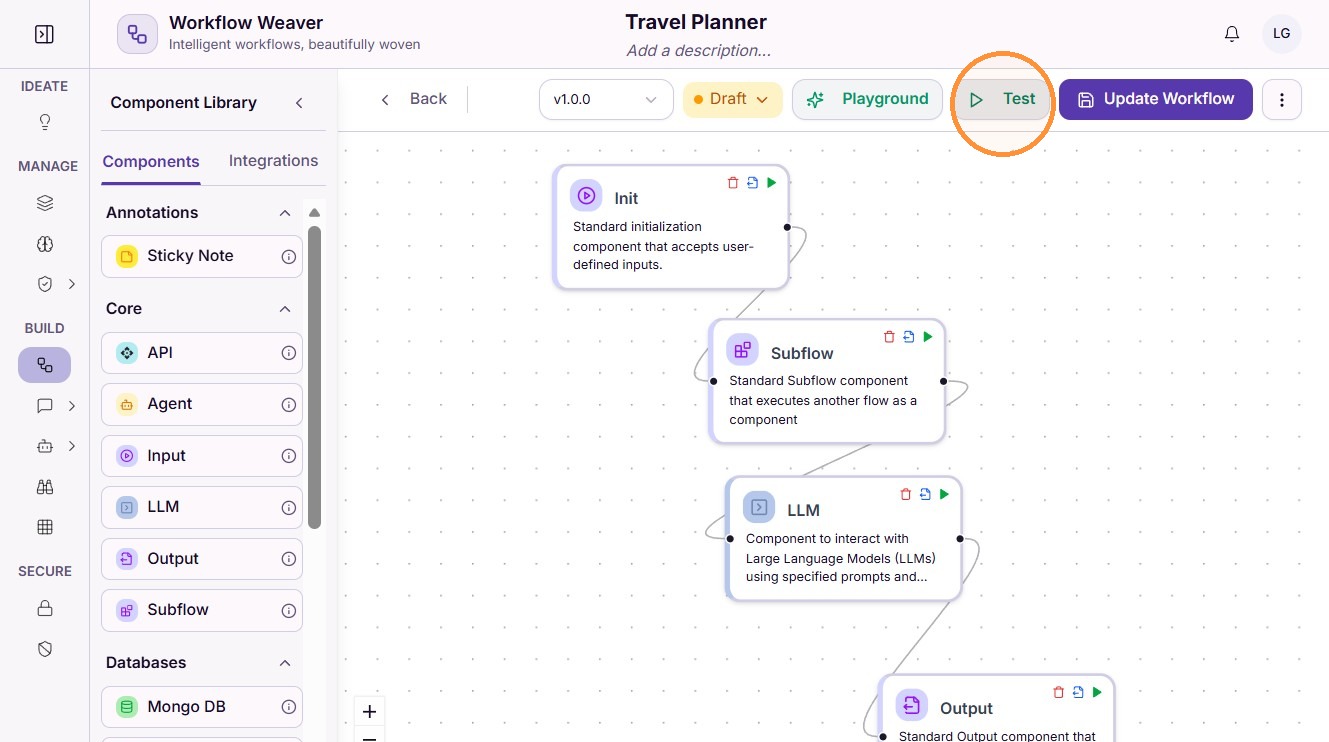
Step 1: Test the Workflow
Execute the parent workflow to verify that the subflow runs successfully.
The subflow executes as part of the workflow and returns its output to the next component in the execution chain.
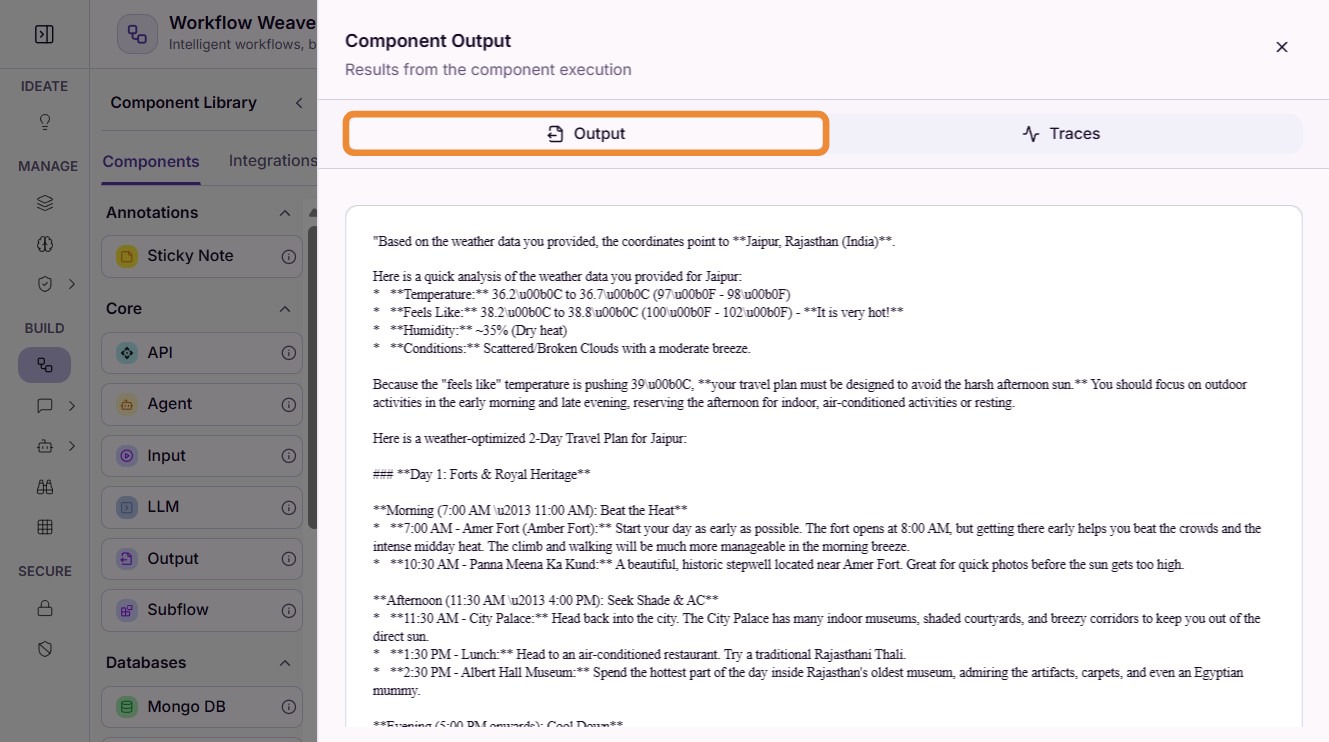
Step 2: Review Execution Traces
Open the Traces panel to inspect the workflow execution.
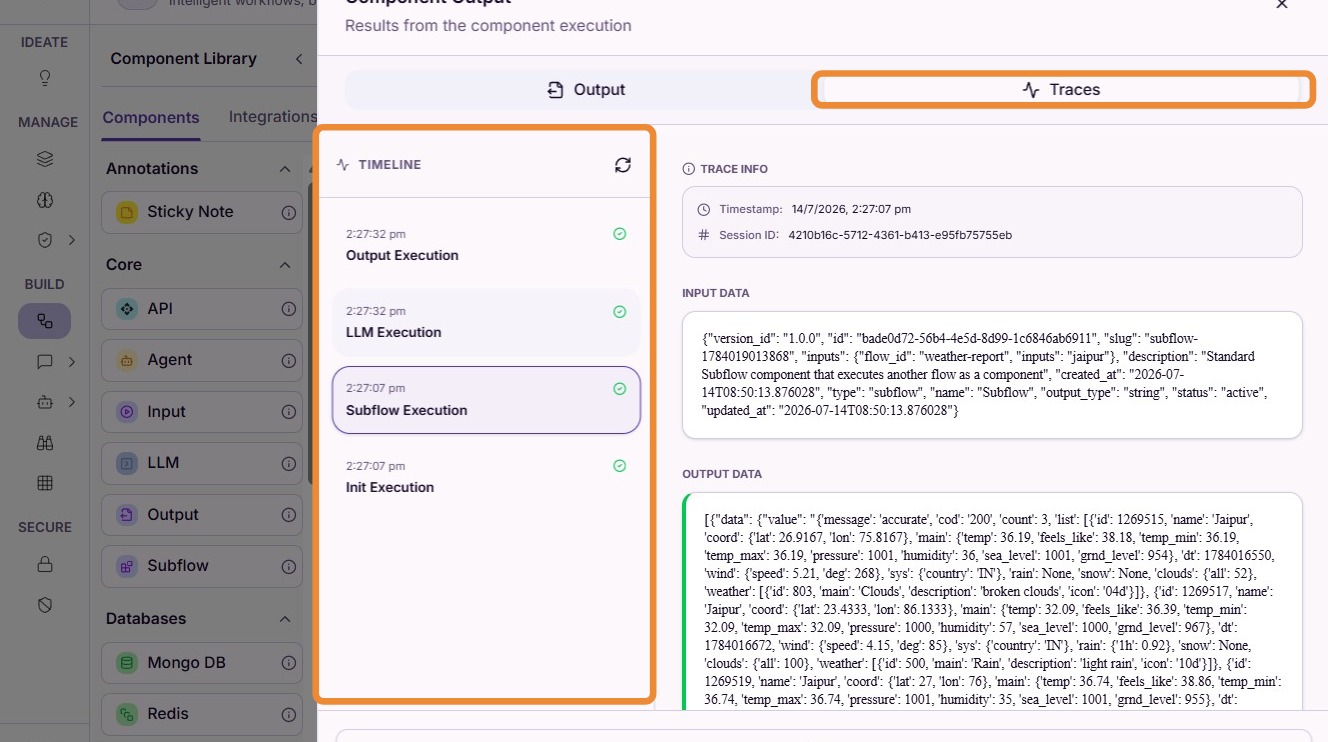
Step 3: Inspect Subflow Execution
Select the appropriate execution entry from the timeline to view the detailed execution trace of the subflow.
Execution traces help verify:
- subflow execution order
- component inputs and outputs
- AI model execution
- execution status
- latency and performance
- debugging information
Do's and Don'ts
Do's
- Create reusable workflows for frequently used business logic.
- Keep subflows focused on a single responsibility.
- Test subflows independently before reusing them.
- Use descriptive names so they are easy to identify.
- Review execution traces to validate subflow behavior.
Don'ts
- Don't duplicate workflow logic when it can be reused as a subflow.
- Don't make subflows unnecessarily large or complex.
- Don't modify shared subflows without considering workflows that depend on them.
- Don't assume subflows execute in parallel.
Tip
- Serial Execution
Subflows always execute serially. The parent workflow waits until the subflow completes before executing the next component.
- Reusable Logic
Use subflows for business processes that are shared across multiple workflows, such as document processing, approvals, notifications, or AI-powered tasks.