AI Brain
The AI Brain in Kompass is the centralized context storage system that enables AI applications to access, understand, and use enterprise data effectively.
It allows teams to organize enterprise knowledge into Collections, upload structured and unstructured data from multiple sources, and convert it into usable knowledge for AI agents and workflows.
Instead of relying only on prompts, the AI Brain gives your AI systems memory and context, making outputs more accurate, relevant, and aligned with business data.
What is AI Brain?
AI Brain acts as a knowledge layer for your AI applications.
Knowledge is organized into Collections, where related files and data sources are grouped together. Each collection serves as a centralized repository that can be used by agents and workflows during execution.
AI Brain ingests data from supported sources, processes it into smaller chunks, and indexes it for fast retrieval.
This ensures that agents and workflows can:
- access real business data
- generate context-aware responses
- reduce hallucinations
- deliver consistent outputs across use cases
For enterprise teams, this transforms AI from a generic tool into a context-driven system tailored to organizational knowledge.
Understanding Collections
A Collection is a logical grouping of related documents and data sources.
For example, organizations can create separate collections for:
- HR documents
- Product documentation
- Company policies
- Technical knowledge
- Customer support resources
Multiple files can be stored within a single collection, making it easier to organize, manage, and retrieve relevant information.
Creating a New Collection
Before adding data sources, create a collection to organize your knowledge.
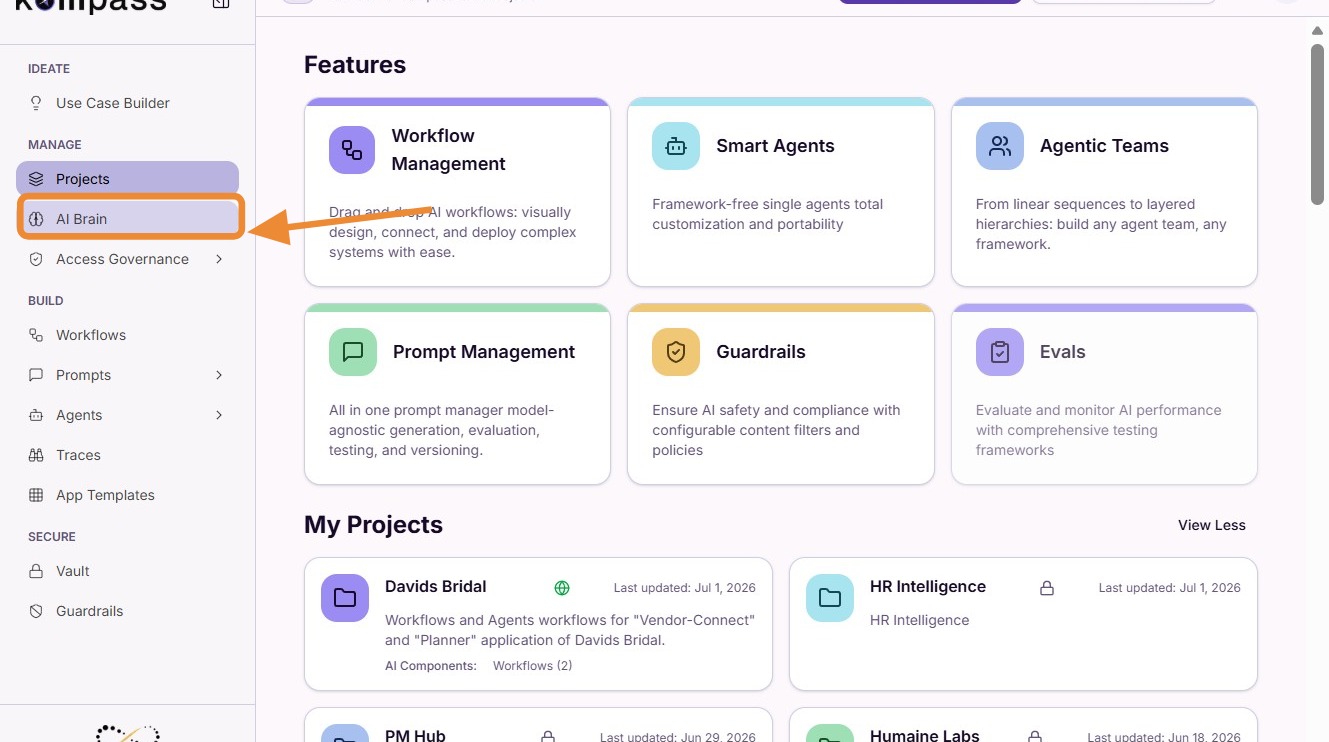
Step 1: Open AI Brain
Navigate to the AI Brain section inside your project workspace.
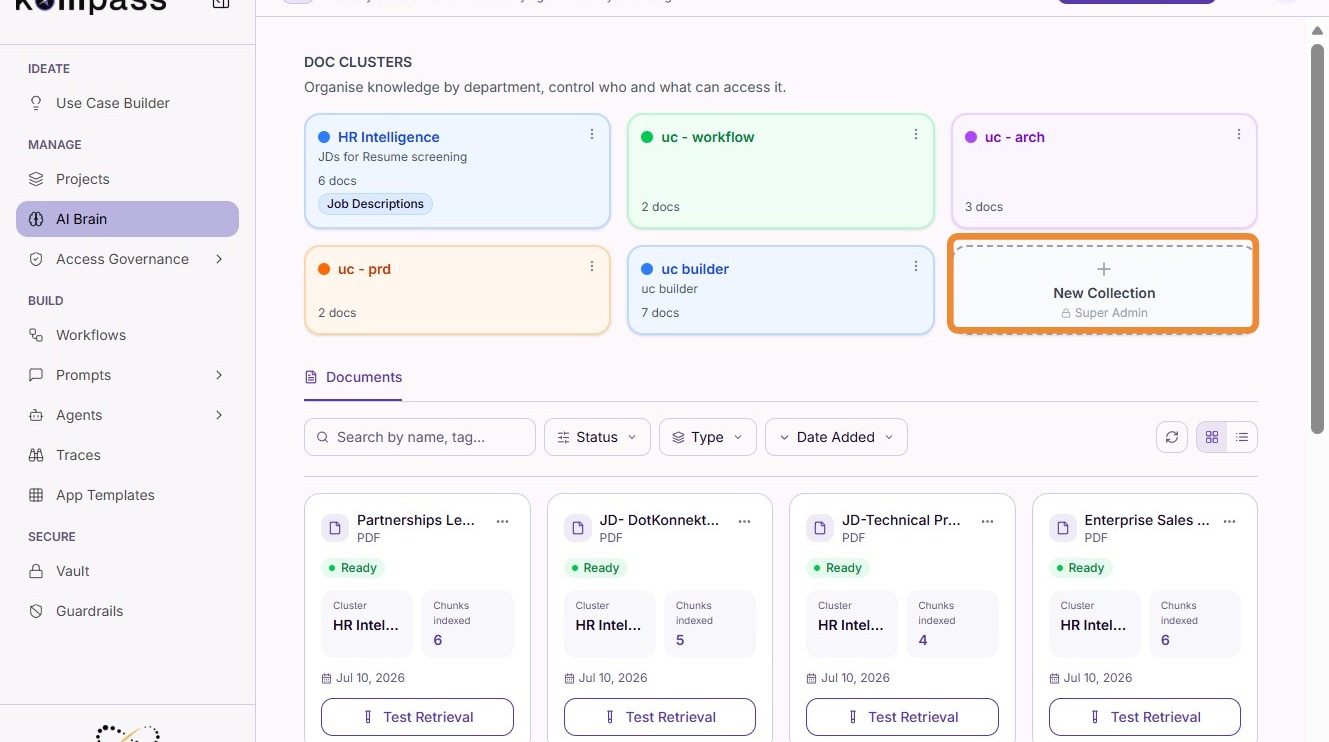
Step 2: Create a New Collection
Click "New Collection".
Step 3: Save the Collection
Enter the required collection details and click "Save Collection".
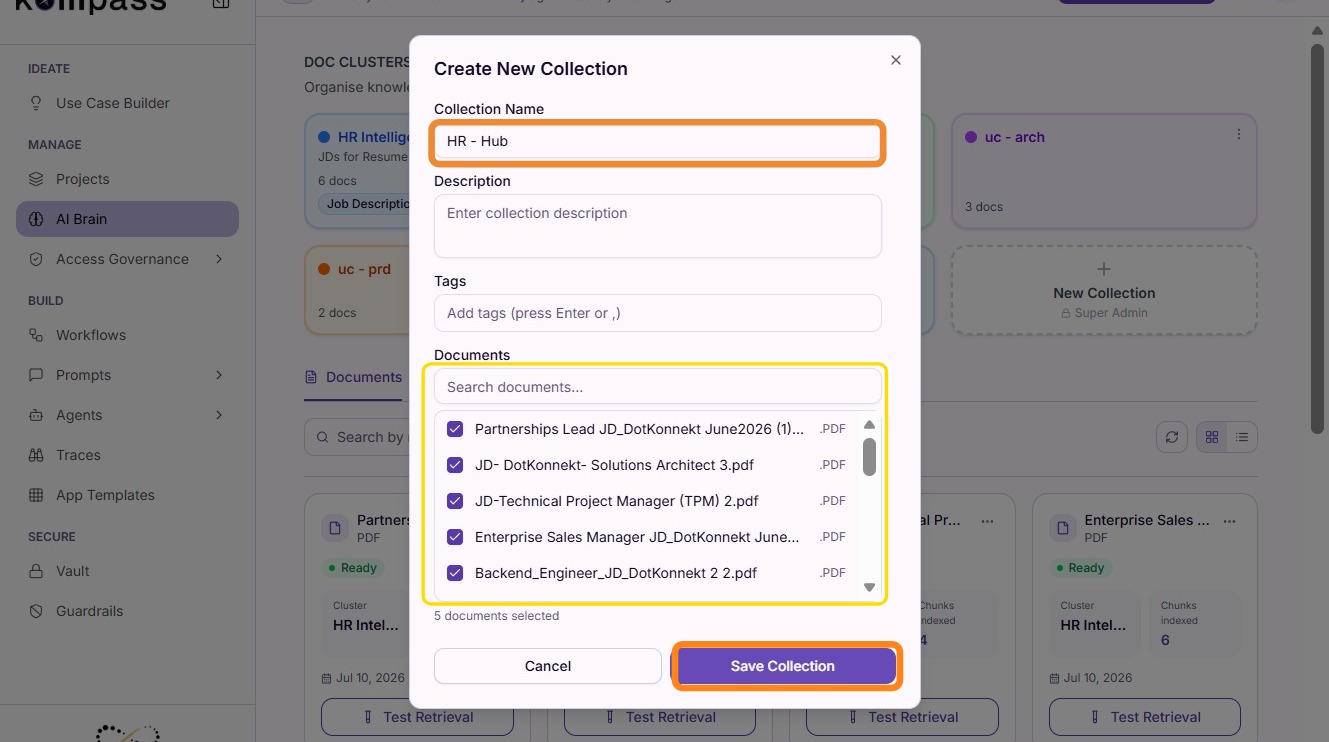
The new collection is now ready to store and organize your knowledge sources.
Adding a New Data Source
Once a collection has been created, you can upload documents or connect data sources.
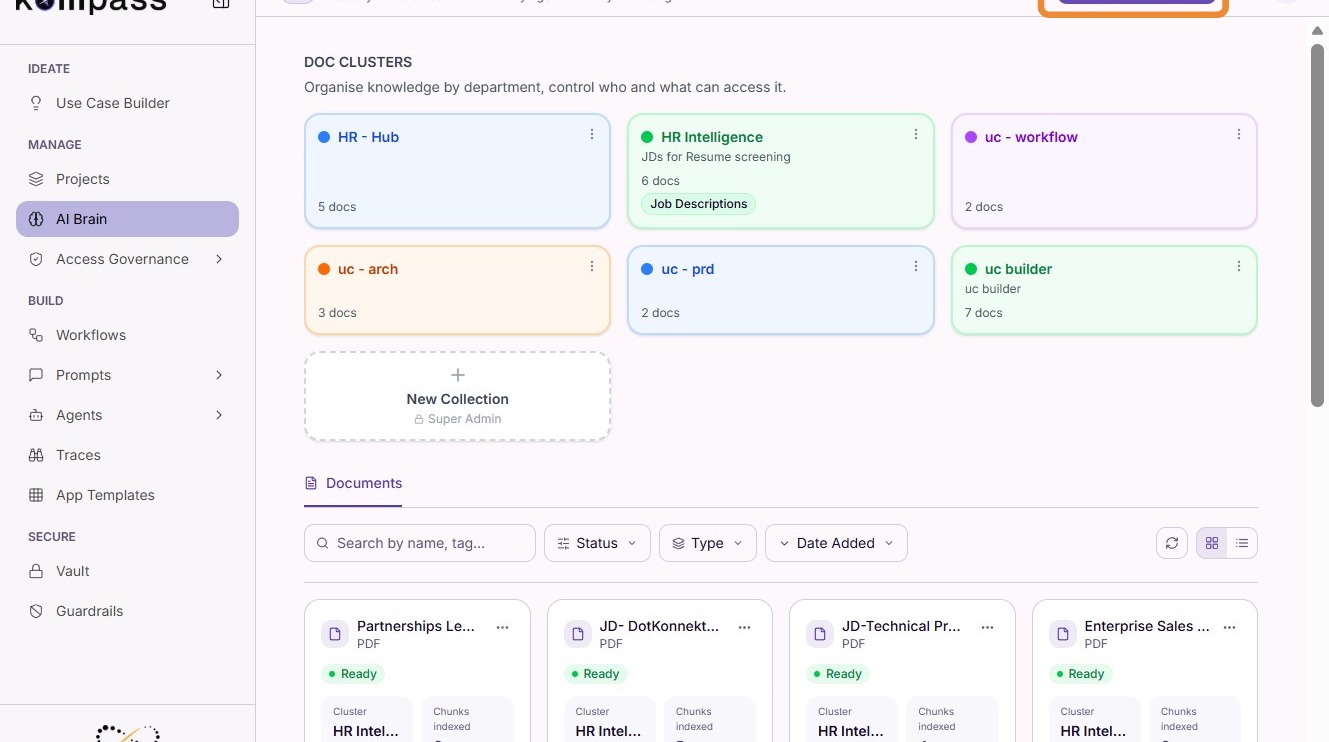
Step 1: Add New Source
Click "Add New Source".
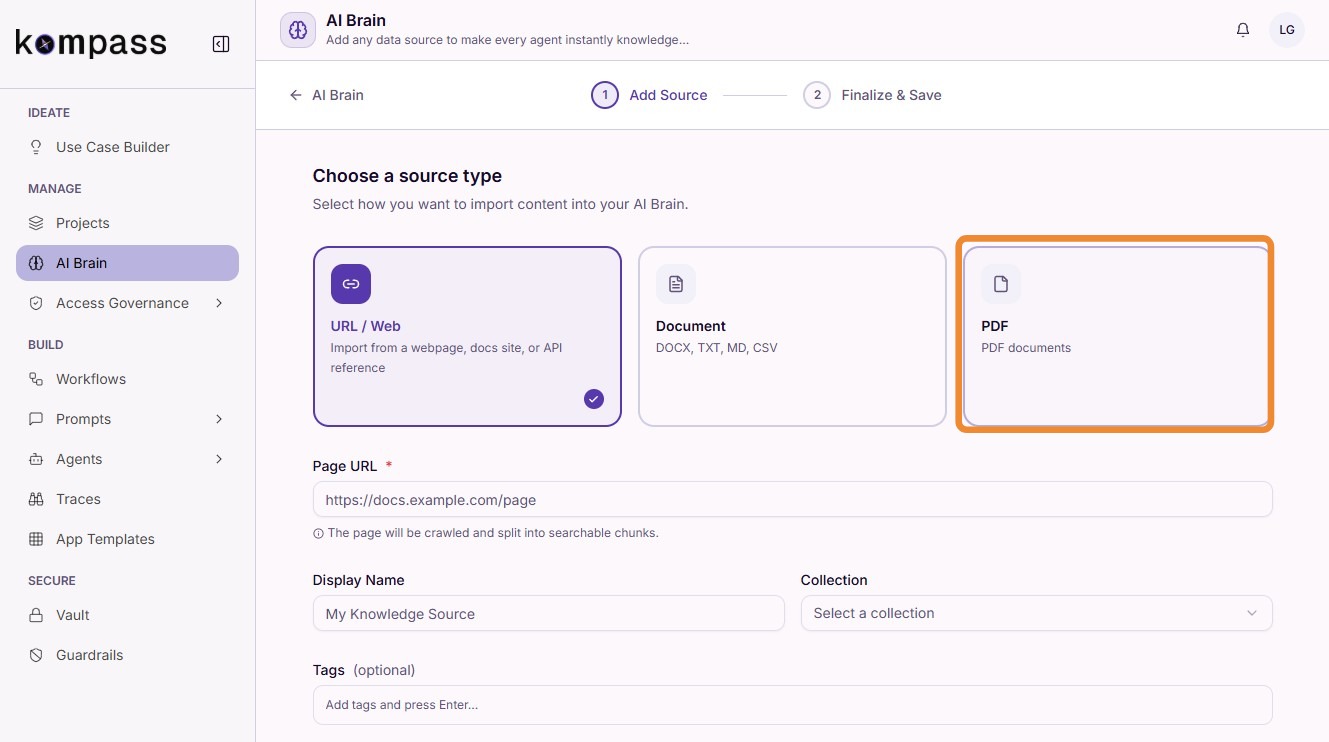
Step 2: Select the Source Type
Choose the type of data you want to upload.
AI Brain supports multiple source formats, including:
- DOCX
- TXT
- CSV
- Markdown (.md)
- URLs (Web Pages)
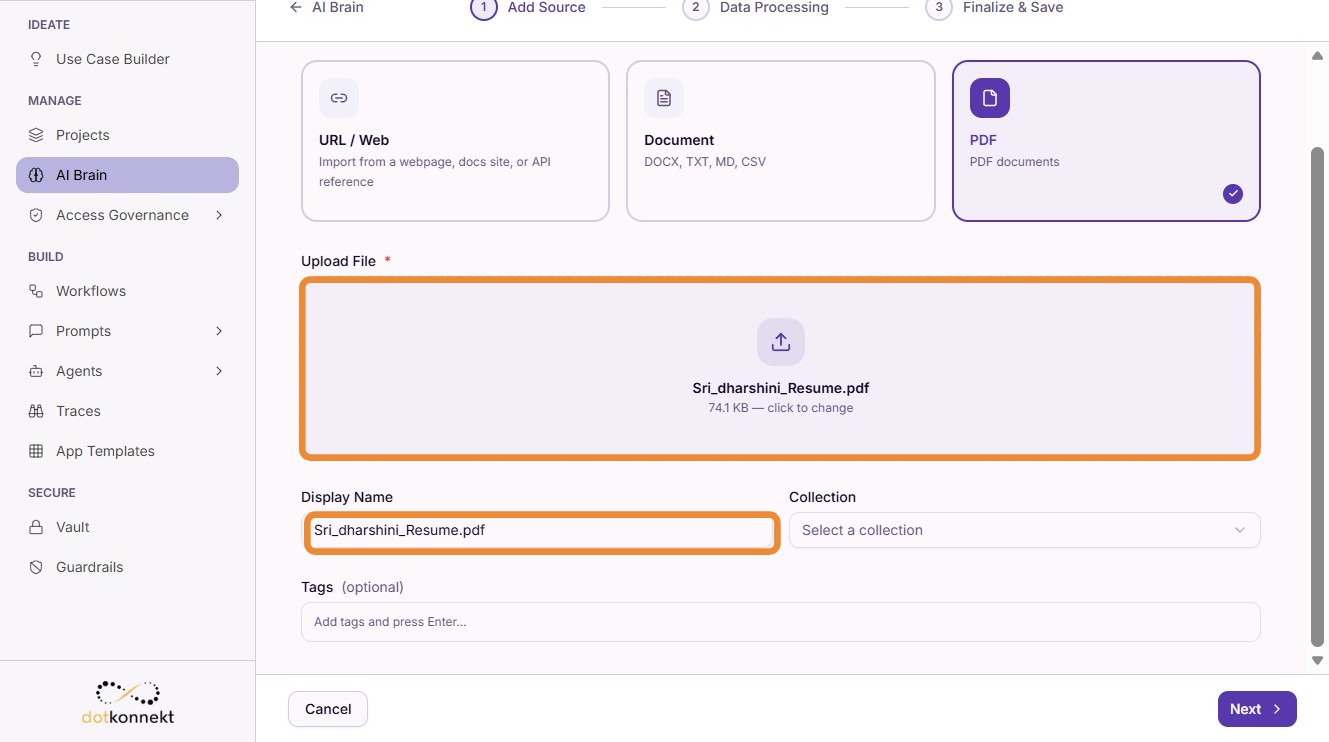
After selecting the appropriate source type, upload the required file.
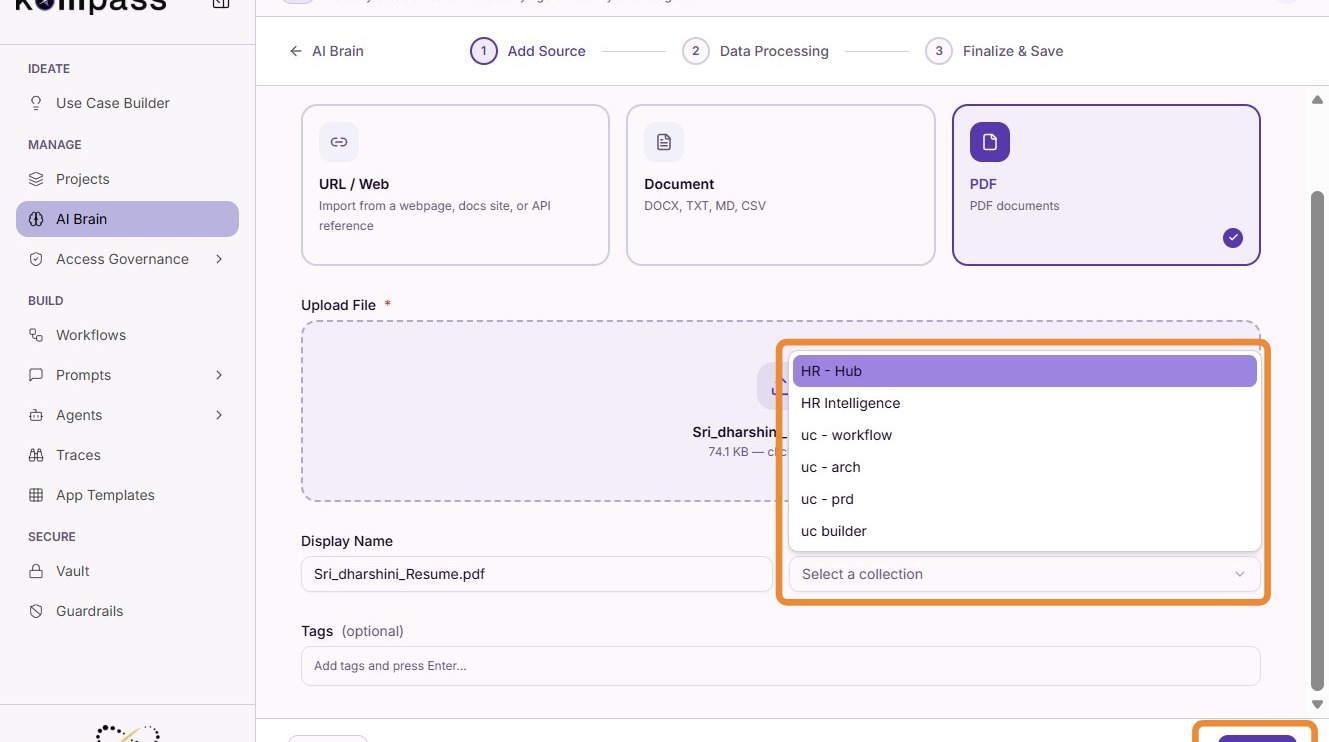
Step 3: Select a Collection
Choose the collection where the uploaded data should be stored.
For example:
Step 4: Save & Index
Click "Save & Index" to process the uploaded content.
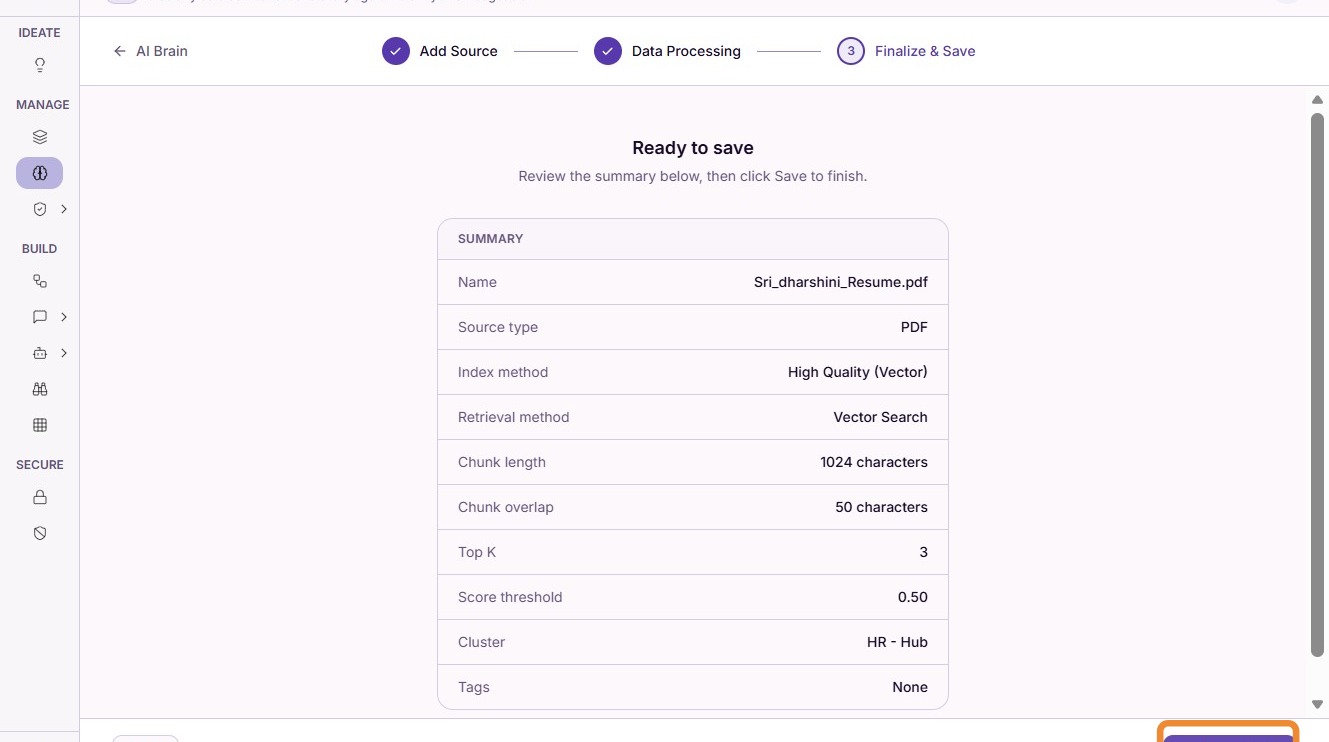
During this step, Kompass:
- breaks the content into smaller chunks
- converts it into embeddings
- stores it inside the selected collection
- indexes it for fast retrieval
This indexing process ensures quick and accurate access to relevant information during AI execution.
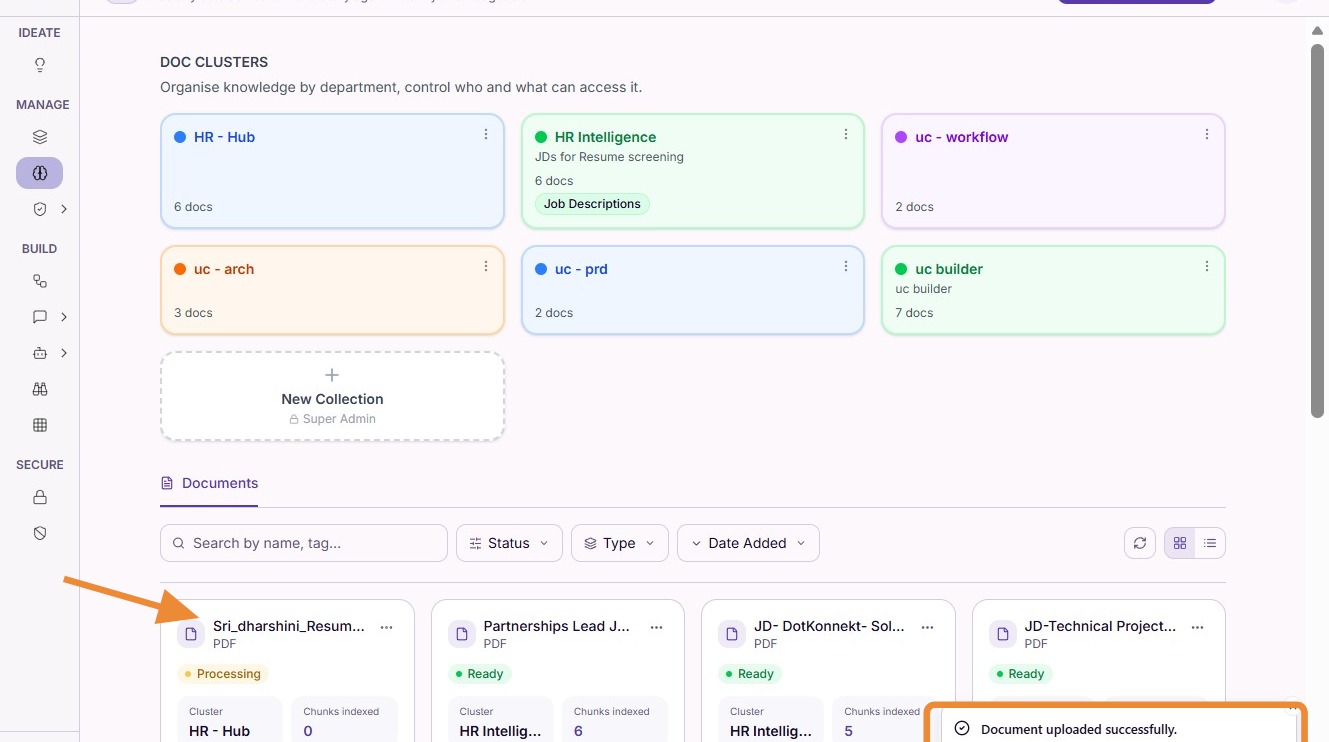
Step 5: View Indexed Sources
Once indexing is complete, the uploaded source appears inside the selected collection.
Users can view, monitor, and manage all indexed documents directly from the AI Brain dashboard.
How AI Brain Works
The AI Brain follows a structured pipeline to make enterprise data usable for AI systems:
-
Data Ingestion
Files and URLs are uploaded into a collection. -
Chunking
Content is divided into smaller, meaningful segments. -
Indexing
The content is converted into embeddings and indexed for retrieval. -
Retrieval
Relevant information is fetched during AI execution based on user queries. -
Response Generation
Agents and workflows use the retrieved context to generate accurate, grounded responses.
This process enables Retrieval-Augmented Generation (RAG), ensuring AI outputs are based on enterprise knowledge instead of relying solely on model memory.
Using AI Brain in Agents & Workflows
The knowledge stored within AI Brain can be directly used across Kompass.
Agents
Agents can use AI Brain to:
- answer questions using company documents
- retrieve organization-specific knowledge
- provide context-aware responses
- reduce hallucinations through grounded information
Workflows
Workflows use AI Brain to:
- enrich multi-step AI processes
- share context across workflow components
- automate document-driven business processes
- enable knowledge-aware decision making
Why AI Brain Matters for Enterprises
AI Brain enables organizations to build scalable, reliable, and context-aware AI applications.
Organized Knowledge Management
Collections make it easy to organize documents by department, project, or business function while keeping related knowledge together.
Context-Aware AI
AI systems generate responses based on actual enterprise knowledge rather than relying only on pretrained information.
Consistency Across Teams
A centralized knowledge base ensures that agents and workflows access the same trusted information across the organization.
Reduced Hallucinations
Grounding responses in indexed documents significantly improves response accuracy and reliability.
Scalable AI Deployments
As organizational knowledge grows, additional collections and data sources can be added without changing existing agents or workflows.
Summary
The AI Brain transforms Kompass into a context-aware AI platform by combining organized knowledge collections, intelligent indexing, and seamless integration with agents and workflows.
By storing enterprise knowledge in collections and making it instantly retrievable, AI Brain enables organizations to build AI applications that are:
- accurate
- scalable
- organized
- consistent
- deeply aligned with business knowledge