Context
1. Component Intro:
The Context component enables workflows to retrieve enterprise knowledge stored in AI Brain and make it available to downstream AI components.
You can configure the component to retrieve context from either:
- Individual Documents stored in AI Brain.
- Clusters, which contain multiple related documents.
This allows AI models to generate responses grounded in organizational knowledge rather than relying solely on their pretrained information.
Core JSON Structure
[[JSON]]
{
  "name": "Context",
  "type": "context",
  "description": "Retrieve enterprise knowledge from AI Brain.",
  "output_type": "json",
  "inputs": {
    "source": "collection",
    "collection": "HR Intelligence",
    "top_k": 5
  }
}
2. Where to Use It
-
Retrieval-Augmented Generation (RAG): Provide enterprise knowledge to AI models during execution.
-
Knowledge-Based Agents: Enable agents to answer questions using company documents.
-
Document Search: Retrieve relevant information from indexed documents before generating responses.
-
Enterprise Automation: Use organizational knowledge across workflows without manually embedding document content.
3. How to Initialize
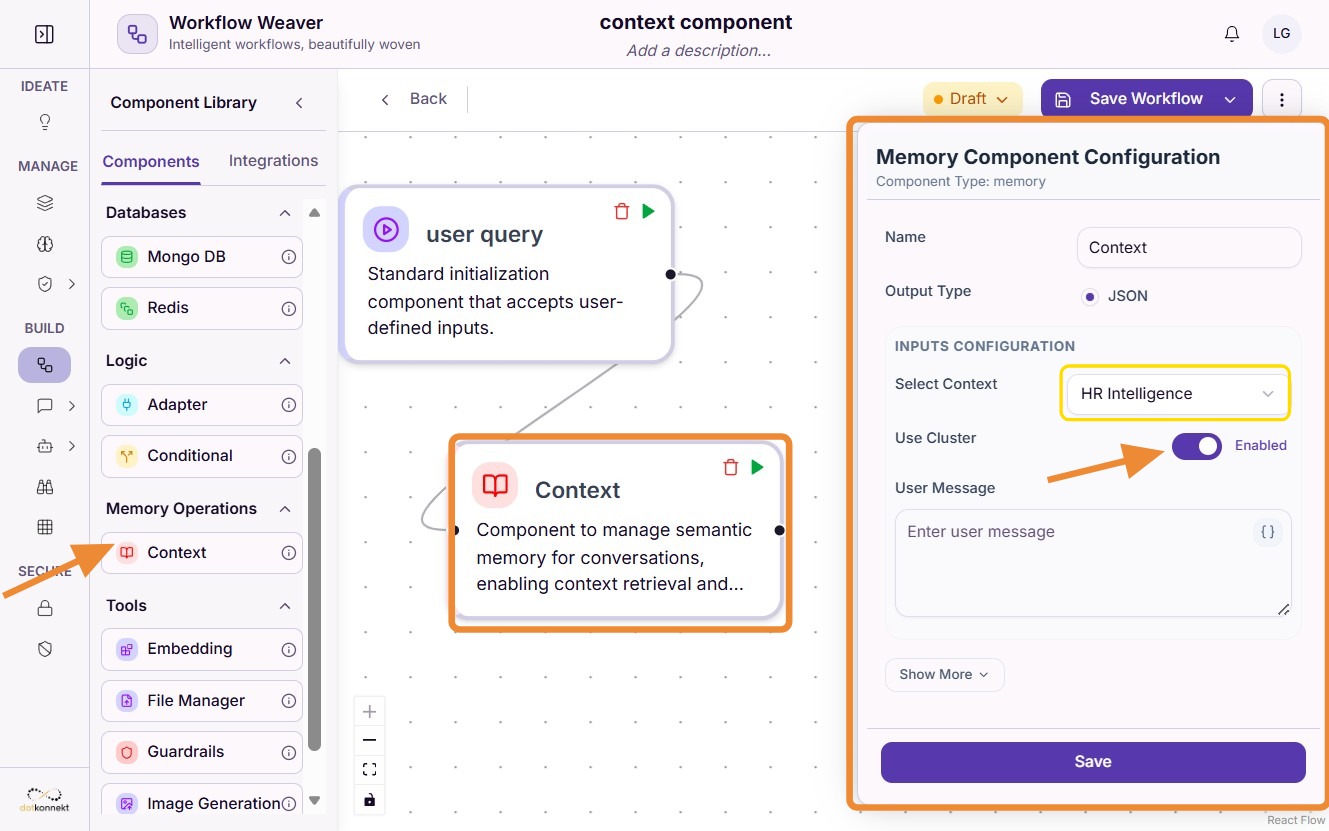
Step 1: Select the Knowledge Source
Choose the source from AI Brain that the component should use.
By default, the component displays clusters available in AI Brain.
If you disable the use cluster toggle, the dropdown displays available AI Brain files instead, allowing the workflow to retrieve context from individual documents .
For example:
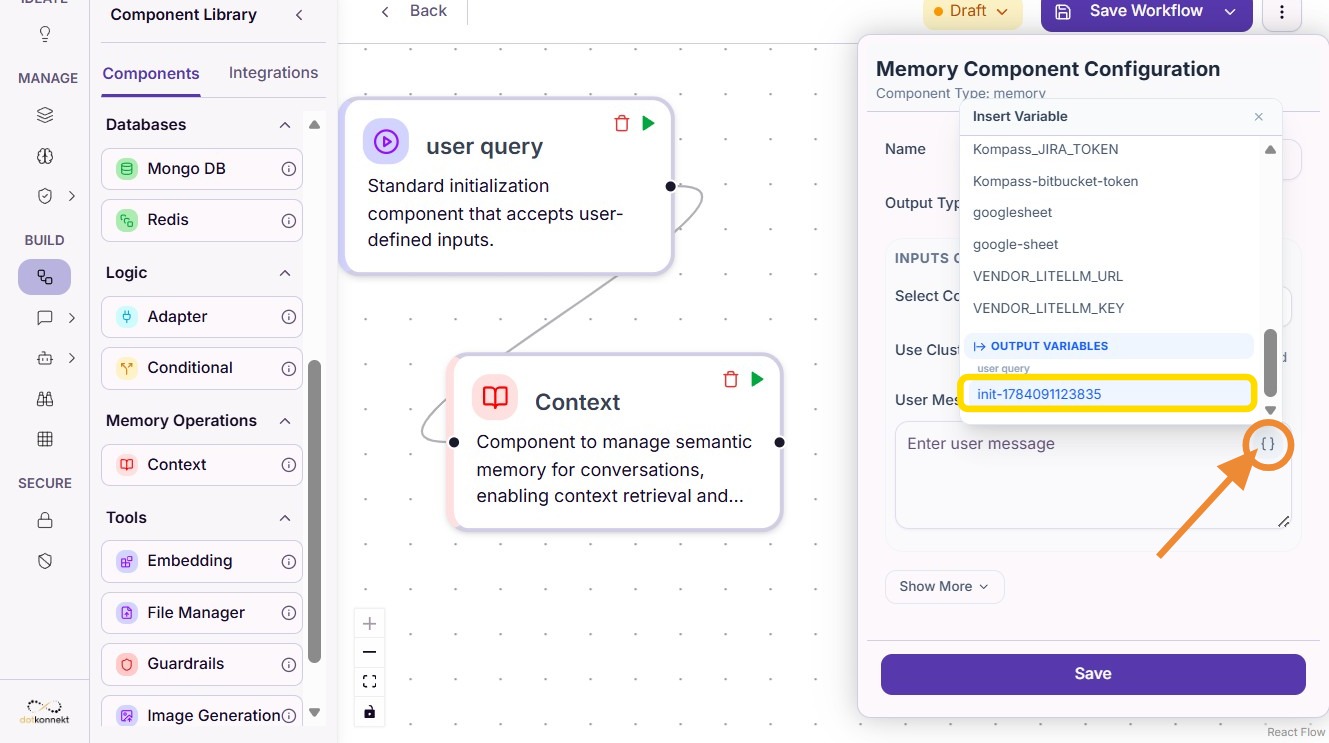
Step 2: Configure the Component
After selecting the required document or collection, configure any additional retrieval settings required by your workflow and save the component.
Do's and Don'ts
Do's
- Use Collections when related documents should be searched together.
- Use individual documents when only a single knowledge source is required.
- Keep AI Brain documents updated to ensure accurate responses.
- Connect the Context component before LLM or Agent components that require enterprise knowledge.
- Test retrieval results to ensure the correct knowledge source has been selected.
Don'ts
- Don't use individual documents when multiple related documents should be searched together.
- Don't enable the Collection toggle unless the workflow requires knowledge from an entire collection.
- Don't use outdated or duplicate documents inside AI Brain.
- Don't place the Context component after the component that consumes its output.
Tip
- Document Mode
Leave the Collection toggle disabled when you want the workflow to retrieve context from a single indexed document.
- Collection Mode
Enable the Collection toggle when you want the workflow to search across all documents within an AI Brain collection. This is recommended for broader enterprise knowledge retrieval and Retrieval-Augmented Generation (RAG) workflows.